McDewey
/mcpPage 311
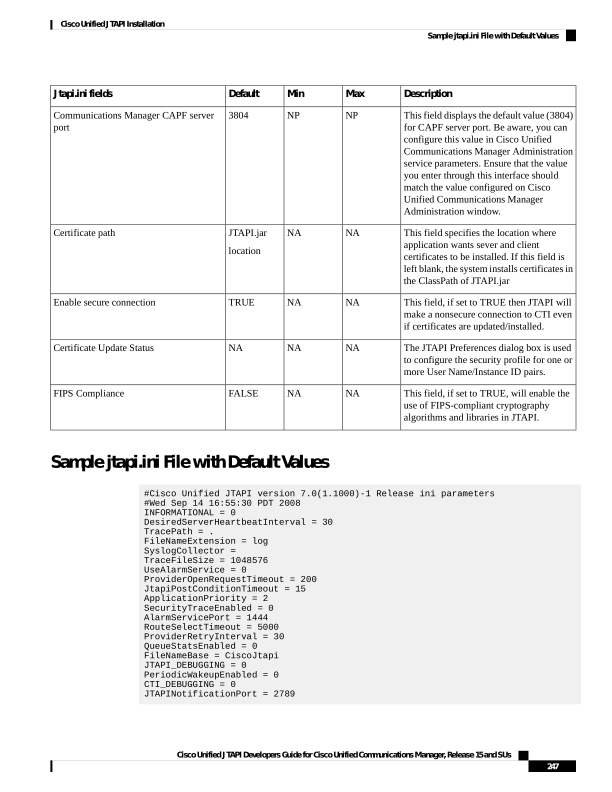
↗ View in doc contextDescription Max Min Default Jtapi.ini fields This field displays the default value (3804) for CAPF server port. Be aware, you can configure this value in Cisco Unified Communications Manager Administration service parameters. Ensure that the value you enter through this interface should match the value configured on Cisco Unified Communications Manager Administration window. NP NP 3804 Communications Manager CAPF server port This field specifies the location where application wants sever and client certificates to be installed. If this field is left blank, the system installs certificates in the ClassPath of JTAPI.jar NA NA JTAPI.jar location Certificate path This field, if set to TRUE then JTAPI will make a nonsecure connection to CTI even if certificates are updated/installed. NA NA TRUE Enable secure connection The JTAPI Preferences dialog box is used to configure the security profile for one or more User Name/Instance ID pairs. NA NA NA Certificate Update Status This field, if set to TRUE, will enable the use of FIPS-compliant cryptography algorithms and libraries in JTAPI. NA NA FALSE FIPS Compliance Sample jtapi.ini File with Default Values #Cisco Unified JTAPI version 7.0(1.1000)-1 Release ini parameters #Wed Sep 14 16:55:30 PDT 2008 INFORMATIONAL = 0 DesiredServerHeartbeatInterval = 30 TracePath = . FileNameExtension = log SyslogCollector = TraceFileSize = 1048576 UseAlarmService = 0 ProviderOpenRequestTimeout = 200 JtapiPostConditionTimeout = 15 ApplicationPriority = 2 SecurityTraceEnabled = 0 AlarmServicePort = 1444 RouteSelectTimeout = 5000 ProviderRetryInterval = 30 QueueStatsEnabled = 0 FileNameBase = CiscoJtapi JTAPI_DEBUGGING = 0 PeriodicWakeupEnabled = 0 CTI_DEBUGGING = 0 JTAPINotificationPort = 2789 Cisco Unified JTAPI Developers Guide for Cisco Unified Communications Manager, Release 15 and SUs 247 Cisco Unified JTAPI Installation Sample jtapi.ini File with Default Values