McDewey
/mcpPage 126
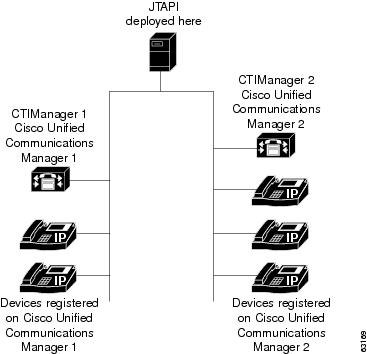
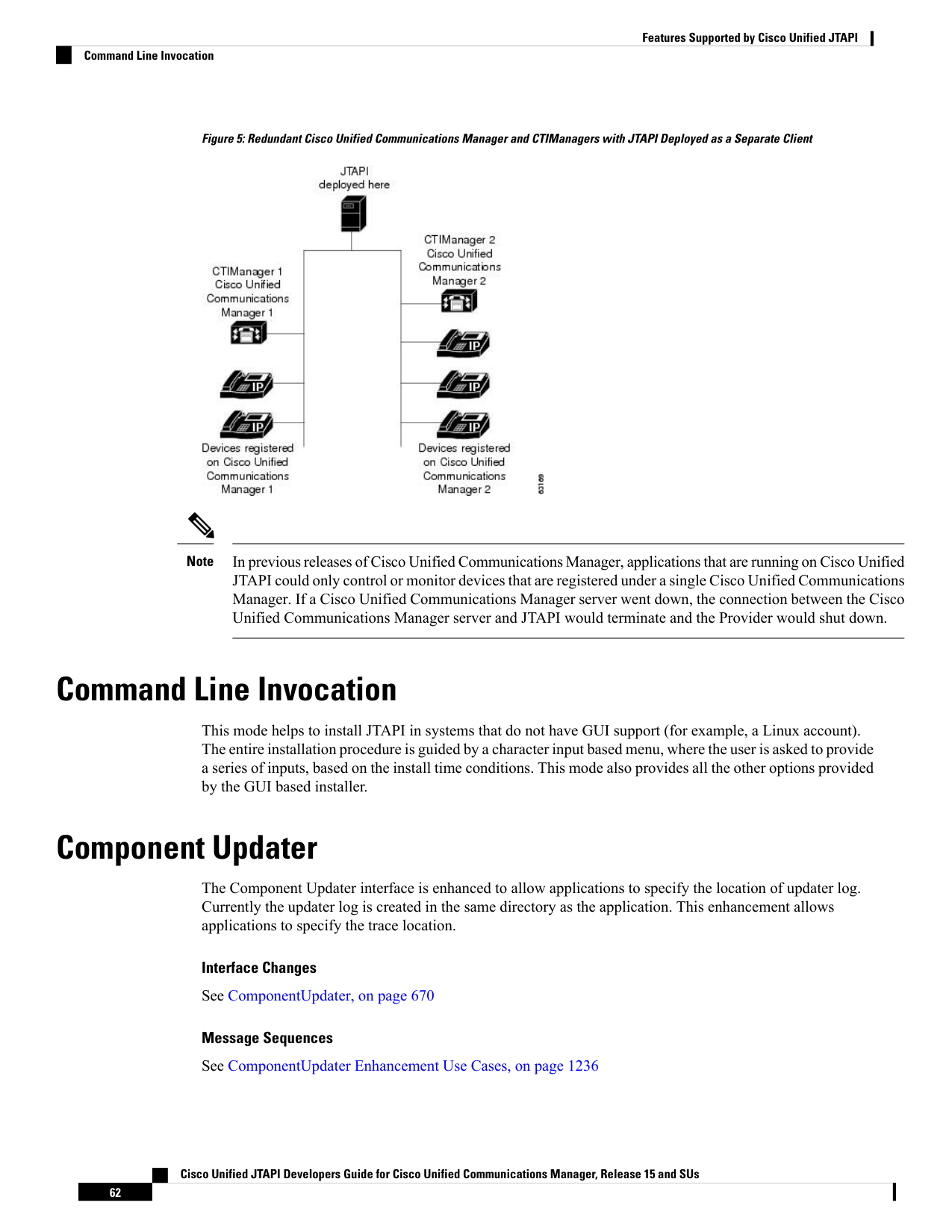
↗ View in doc contextFigure 5: Redundant Cisco Unified Communications Manager and CTIManagers with JTAPI Deployed as a Separate Client In previous releases of Cisco Unified Communications Manager, applications that are running on Cisco Unified JTAPI could only control or monitor devices that are registered under a single Cisco Unified Communications Manager. If a Cisco Unified Communications Manager server went down, the connection between the Cisco Unified Communications Manager server and JTAPI would terminate and the Provider would shut down. Note Command Line Invocation This mode helps to install JTAPI in systems that do not have GUI support (for example, a Linux account). The entire installation procedure is guided by a character input based menu, where the user is asked to provide a series of inputs, based on the install time conditions. This mode also provides all the other options provided by the GUI based installer. Component Updater The Component Updater interface is enhanced to allow applications to specify the location of updater log. Currently the updater log is created in the same directory as the application. This enhancement allows applications to specify the trace location. Interface Changes See ComponentUpdater, on page 670 Message Sequences See ComponentUpdater Enhancement Use Cases, on page 1236 Cisco Unified JTAPI Developers Guide for Cisco Unified Communications Manager, Release 15 and SUs 62 Features Supported by Cisco Unified JTAPI Command Line Invocation