McDewey
/mcpPage 2
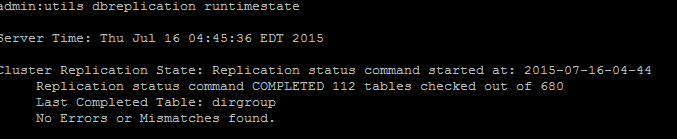
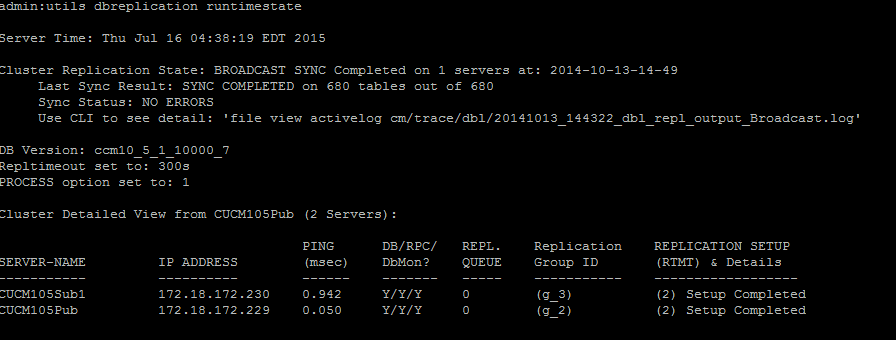
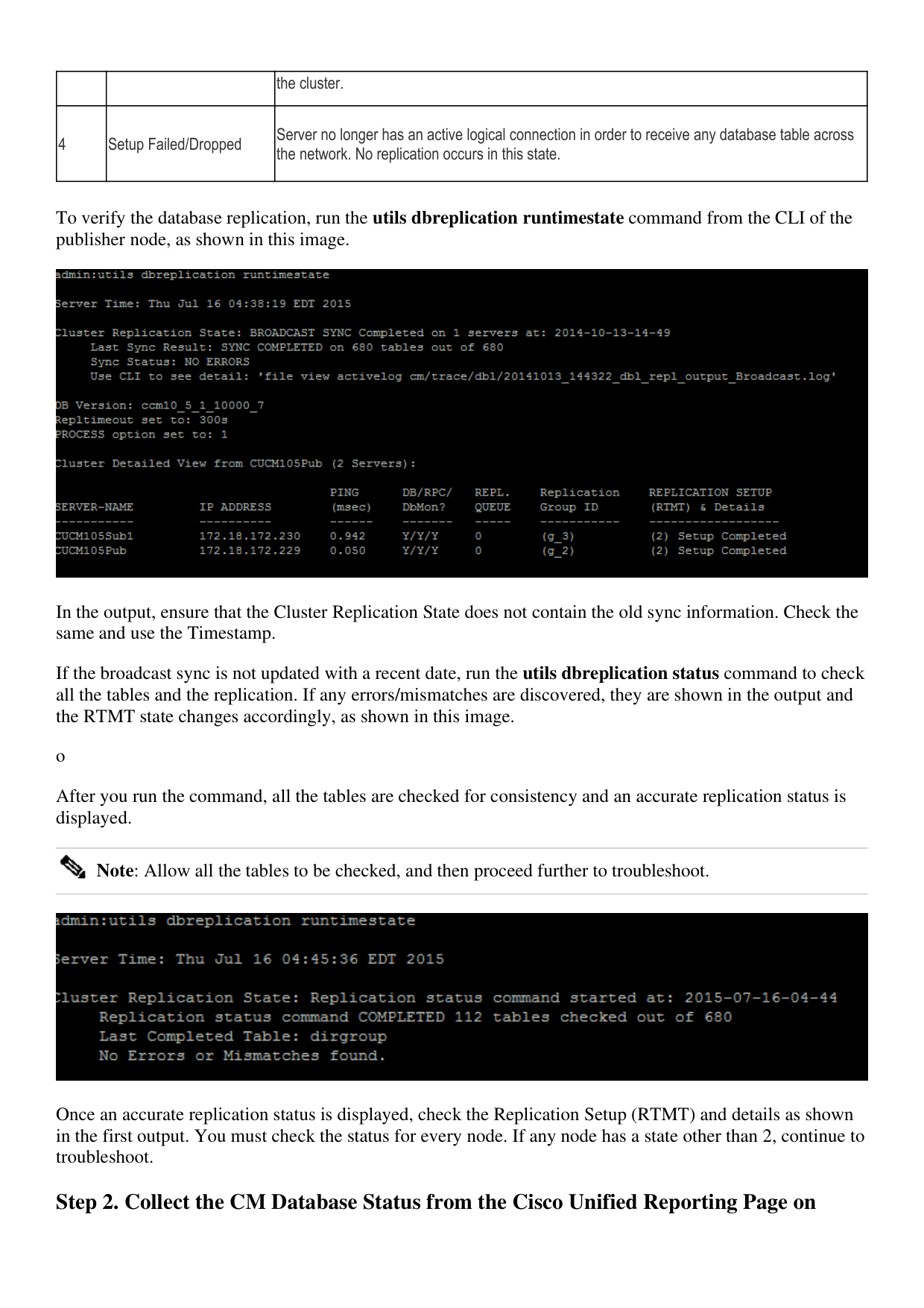
↗ View in doc contextthe cluster. 4 Setup Failed/Dropped Server no longer has an active logical connection in order to receive any database table across the network. No replication occurs in this state. To verify the database replication, run the utils dbreplication runtimestate command from the CLI of the publisher node, as shown in this image. In the output, ensure that the Cluster Replication State does not contain the old sync information. Check the same and use the Timestamp. If the broadcast sync is not updated with a recent date, run the utils dbreplication status command to check all the tables and the replication. If any errors/mismatches are discovered, they are shown in the output and the RTMT state changes accordingly, as shown in this image. o After you run the command, all the tables are checked for consistency and an accurate replication status is displayed. Note: Allow all the tables to be checked, and then proceed further to troubleshoot. Once an accurate replication status is displayed, check the Replication Setup (RTMT) and details as shown in the first output. You must check the status for every node. If any node has a state other than 2, continue to troubleshoot. Step 2. Collect the CM Database Status from the Cisco Unified Reporting Page on