McDewey
/mcpPage 10
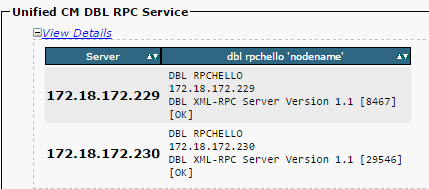
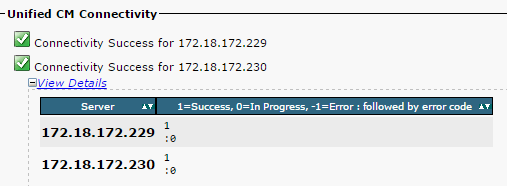
↗ View in doc contextIf the RPC hello does not work for a particular node: Ensure the network connectivity between the particular node and the publisher. • Ensure that the port number 1515 is allowed on the network. • Refer to this link for details on TCP/UDP port usage: Cisco Unified Communications Manager TCP and UDP port usage Ensure that the network connectivity is successful between the nodes, as shown in this image: • If the network connectivity fails for the nodes: Ensure that the network reachability is present between the nodes. • Ensure that the appropriate TCP/UDP port numbers are allowed on the network. • Generate a new report, and check for a successful connection. In case of an unsuccessful connection, go to Step 8. Step 4. Check the Individual Components that Use the Utils Diagnose Test Command