McDewey
/mcpPage 25
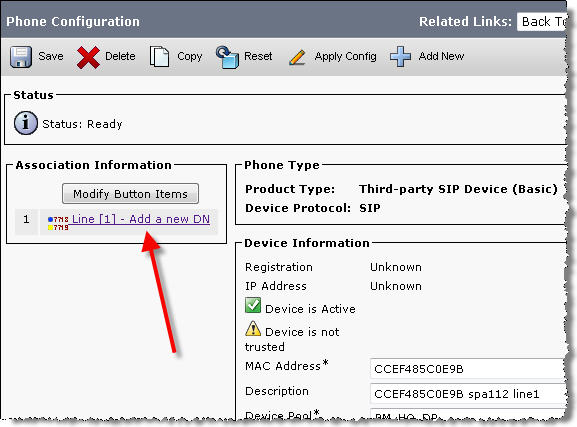
↗ View in doc contextSPA112 firmware versions 1.2.1(004) and newer April 5 th 2013 Check for updates at: https://supportforums.cisco.com/docs/DOC-31744 Possible Solution Verify that a DN is assigned to Line [1] by navigating to Device > Phone > Find > Click the relevant Device Name > Line [1] – Add a new DN Outbound Call Fails with "Call cannot be completed as dialed" Message The SPA112 is able to receive calls without problem but when attempting to make an outbound call, you hear a message saying "Call cannot be completed as dialed". Possible Solution Verify that the SPA112 is using the same transport protocol that the CUCM is expecting by default. By default, the SPA112 uses UDP as the SIP transport while CUCM expects TCP. Modify the SPA112 to use TCP as the transport by changing Voice tab > Line 1 tab > SIP Settings > SIP Transport: TCP