McDewey
/mcpPage 89
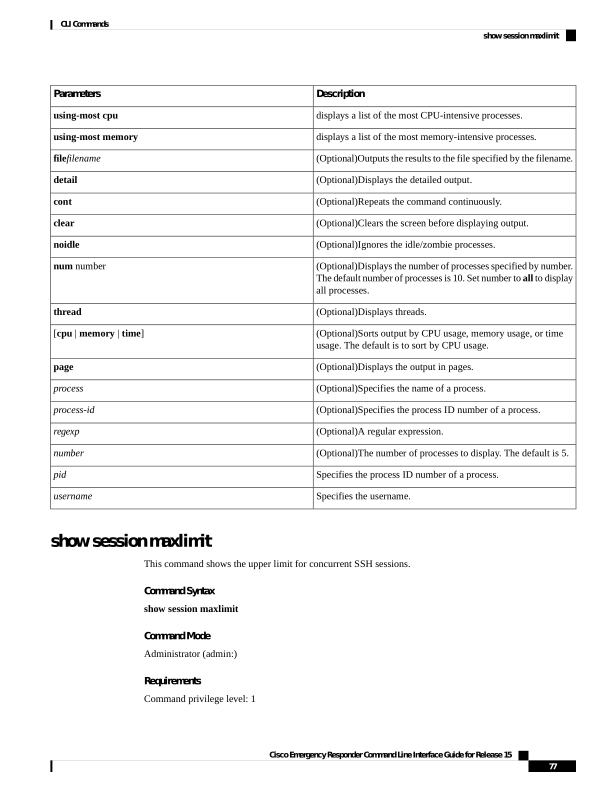
↗ View in doc contextDescription Parameters displays a list of the most CPU-intensive processes. using-most cpu displays a list of the most memory-intensive processes. using-most memory (Optional)Outputs the results to the file specified by the filename. filefilename (Optional)Displays the detailed output. detail (Optional)Repeats the command continuously. cont (Optional)Clears the screen before displaying output. clear (Optional)Ignores the idle/zombie processes. noidle (Optional)Displays the number of processes specified by number. The default number of processes is 10. Set number to all to display all processes. num number (Optional)Displays threads. thread (Optional)Sorts output by CPU usage, memory usage, or time usage. The default is to sort by CPU usage. [cpu | memory | time] (Optional)Displays the output in pages. page (Optional)Specifies the name of a process. process (Optional)Specifies the process ID number of a process. process-id (Optional)A regular expression. regexp (Optional)The number of processes to display. The default is 5. number Specifies the process ID number of a process. pid Specifies the username. username show session maxlimit This command shows the upper limit for concurrent SSH sessions. Command Syntax show session maxlimit Command Mode Administrator (admin:) Requirements Command privilege level: 1 Cisco Emergency Responder Command Line Interface Guide for Release 15 77 CLI Commands show session maxlimit