McDewey
/mcpPage 87
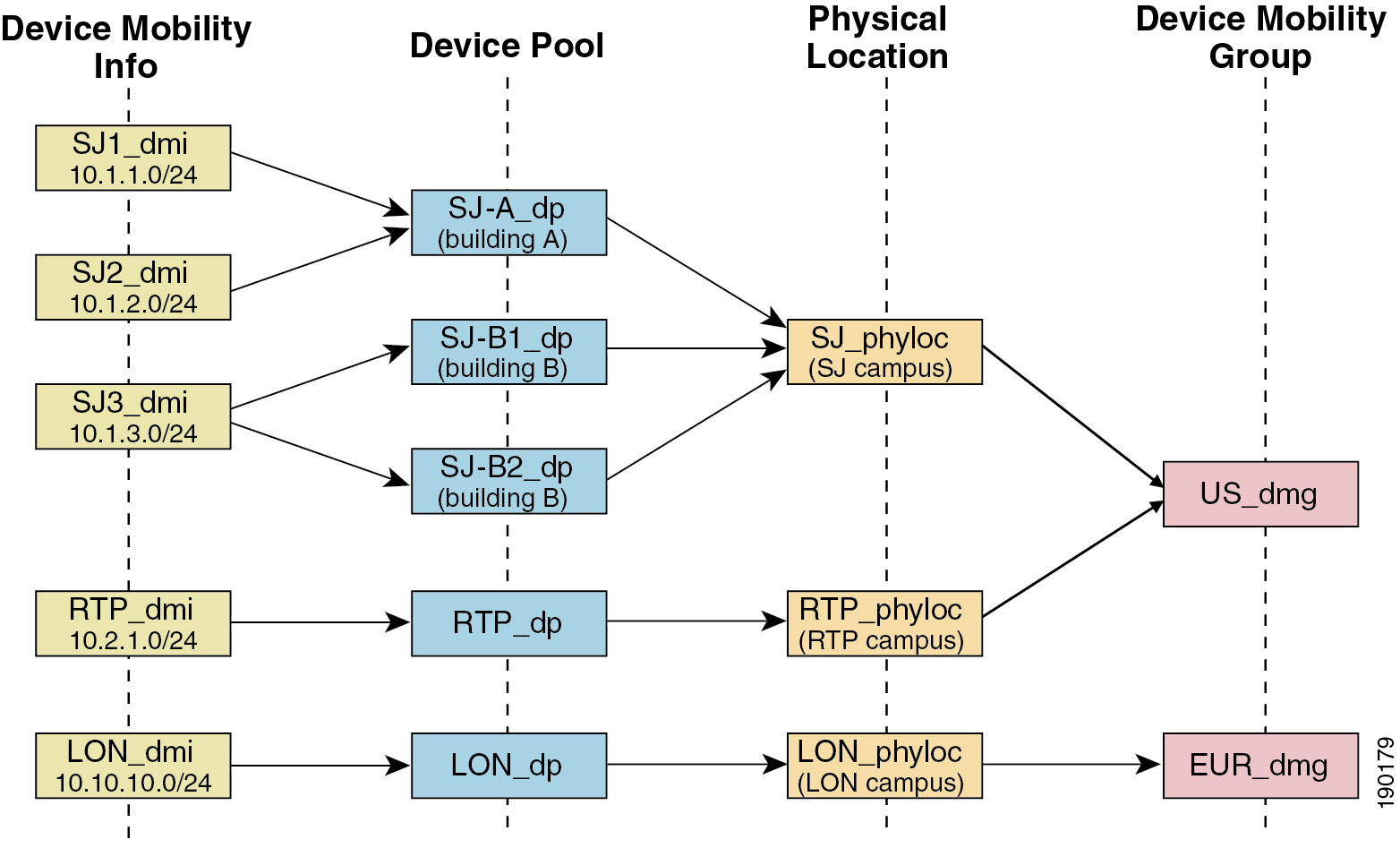
↗ View in doc contextFigure 1: Device Mobility-Related Configurations Device Pool Assignment This section describes how Unified Communications Manager assigns device pools when device mobility is enabled. Depending on whether the device is roaming, the device may be assigned a device pool in the local site, or it may use the device pool from its home site. Following initialization, the device mobility feature operates according to the following process: 1. A phone device record gets created for an IP phone that is provisioned to be mobile, and the phone gets assigned to a device pool. The phone registers with Unified Communications Manager, and an IP address gets assigned as part of the registration process. 2. Unified Communications Manager compares the IP address of the device to the subnets that are configured for device mobility in the Device Mobility Info Configuration window. The best match uses the largest number of bits in the IP subnet mask (longest match rule). For example, the IP address 9.9.8.2 matches the subnet 9.9.8.0/24 rather than the subnet 9.9.0.0/16. 3. If the device pool in the phone record matches the device pool in the matching subnet, the system considers the phone to be in its home location, and the phone retains the parameters of its home device pool. 4. If the device pool in the phone record does not match the device pools in the matching subnet, the system considers the phone to be roaming. The following table describes possible scenarios for device mobility and the system responses. Feature Configuration Guide for Cisco Unified Communications Manager, Release 15 and SUs 45 Remote Worker Features Device Pool Assignment