McDewey
/mcpPage 36
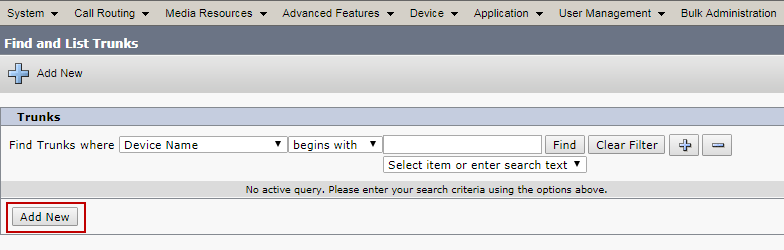
↗ View in doc context© 2018 Cisco Systems, Inc. All rights reserved. Important notices, privacy statements, and trademarks of Cisco Systems, Inc. can be found on cisco.com Page 36 of 48 Trunk configuration Trunk configuration from Cisco UCM to the LAN side of the Cisco UBE: Navigation: Device Trunk Add New Figure 11: Add New Trunk to Cisco UBE Select ‘Trunk Type’ as SIP Trunk and ‘Device Protocol’ as SIP and select ‘Next’ as shown below. Set Device Name: CableOne is given for this example Set Description: CableOne SIP Trunk Certification is given for this example Select Device Pool: “Default” is selected for this example. Set Significant Digits: 4 Under Destination: Set Destination Address: 10.80.18.12 is given for this example. This is the CUBE LAN side VIP IP address. Set Destination Port: 5060 Set BLF Presence Group: Standard presence group is selected from dropdown menu Set SIP Trunk security profile: Non-Secured SIP trunk Profile is elected from drop down menu Set SIP Profile: CableOne SIP Profile is selected from drop down menu