McDewey
Multi-vendor documentation library · semantic search · MCP endpoint at
/mcpPage 14
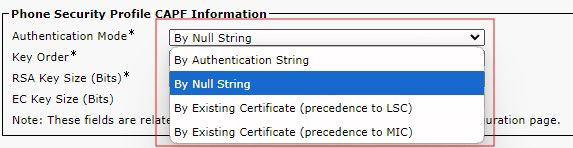
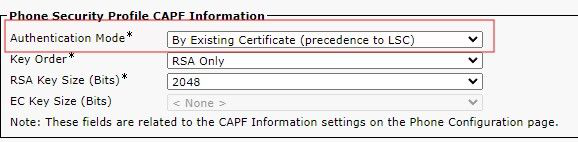
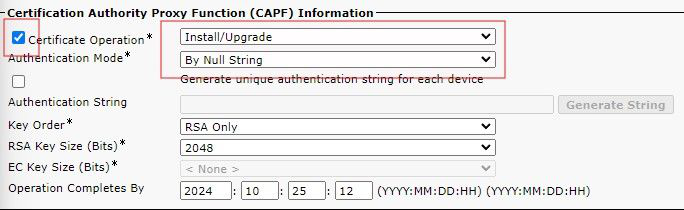
↗ View in doc contextCheck the Phone Security Profile, and the Authentication mode to endure you are using the correct mode. LSC by LSC Precedence To set bulk configuration, in the drop down, select the Authentication Mode that matches the Phone Security Profile. Bulk Selection If you change the Phone Security Profile Authentication Mode, you need to Save, then Apply the configuration. This can cause those devices using the specific Phone Security Profile to restart. Authentication Selection Troubleshoot This section provides information you can use in order to troubleshoot your configuration. No Valid CAPF Server The LSC fails to install. The phone’s Status Messages show "No valid CAPF server". This indicates that