McDewey
/mcpPage 3
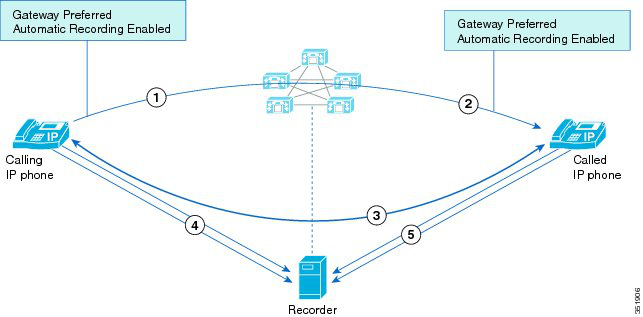
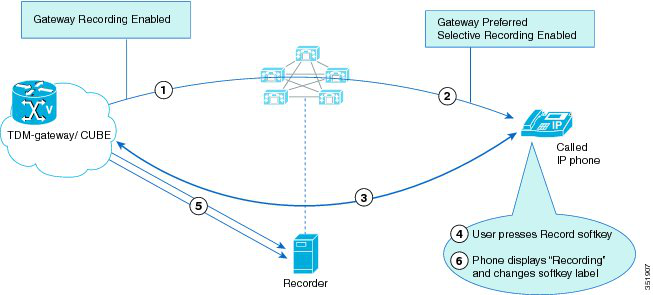
↗ View in doc contextFigure 1: IP Phone to IP Phone Both Enabled for Recording External Call to IP phone – Selective Recording In this use case, Gateway is preferred and selected. • 1–3. An external call is answered by a user with a Cisco IP phone. • 4–5. The Cisco IP phone presses the Record softkey thereby starting a new recording session. The gateway is configured as the preferred recording media source and the gateway is valid for the call flow. Cisco Unified Communications Manager selects the gateway to fork the media to the recorder. • 6. The Cisco IP phone displays "Recording…" and the softkey label changes to " StopRec". Figure 2: External Call to IP phone – Selective Recording Mid-Call - Gateway Recording Session Stops When Call is Held This use case demonstrates the Hold function on the IP phone. • 1–3. A call is in progress and the gateway is recording the media. User 1 places the call on hold. Cisco Unified Communications Manager plays Music-on-Hold to the caller. 3