McDewey
/mcpPage 61
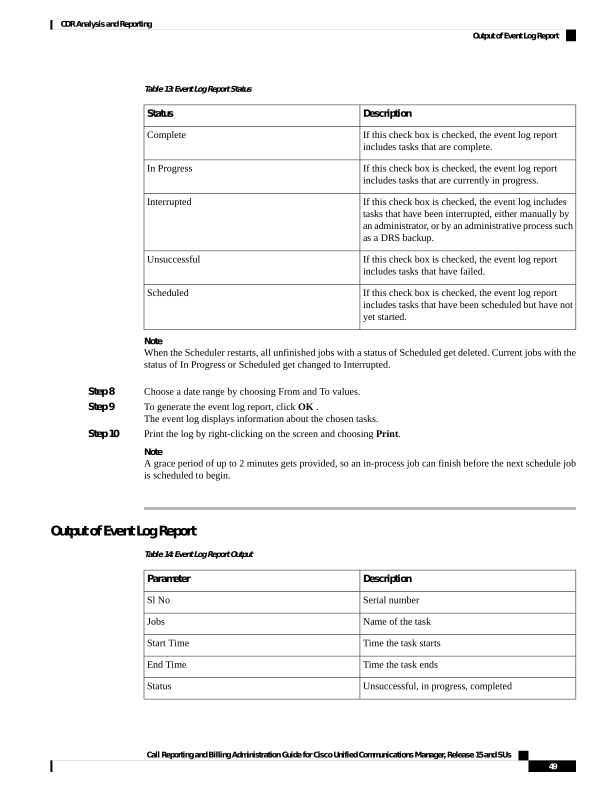
↗ View in doc contextTable 13: Event Log Report Status Description Status If this check box is checked, the event log report includes tasks that are complete. Complete If this check box is checked, the event log report includes tasks that are currently in progress. In Progress If this check box is checked, the event log includes tasks that have been interrupted, either manually by an administrator, or by an administrative process such as a DRS backup. Interrupted If this check box is checked, the event log report includes tasks that have failed. Unsuccessful If this check box is checked, the event log report includes tasks that have been scheduled but have not yet started. Scheduled Note When the Scheduler restarts, all unfinished jobs with a status of Scheduled get deleted. Current jobs with the status of In Progress or Scheduled get changed to Interrupted. Step 8 Choose a date range by choosing From and To values. Step 9 To generate the event log report, click OK . The event log displays information about the chosen tasks. Step 10 Print the log by right-clicking on the screen and choosing Print. Note A grace period of up to 2 minutes gets provided, so an in-process job can finish before the next schedule job is scheduled to begin. Output of Event Log Report Table 14: Event Log Report Output Description Parameter Serial number Sl No Name of the task Jobs Time the task starts Start Time Time the task ends End Time Unsuccessful, in progress, completed Status Call Reporting and Billing Administration Guide for Cisco Unified Communications Manager, Release 15 and SUs 49 CDR Analysis and Reporting Output of Event Log Report