McDewey
/mcpPage 1013
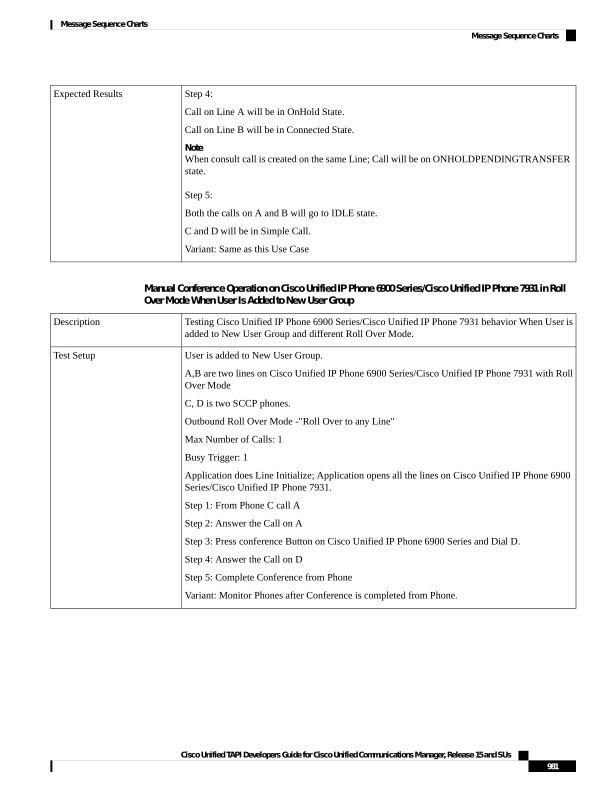
↗ View in doc contextStep 4: Call on Line A will be in OnHold State. Call on Line B will be in Connected State. Note When consult call is created on the same Line; Call will be on ONHOLDPENDINGTRANSFER state. Step 5: Both the calls on A and B will go to IDLE state. C and D will be in Simple Call. Variant: Same as this Use Case Expected Results Manual Conference Operation on Cisco Unified IP Phone 6900 Series/Cisco Unified IP Phone 7931 in Roll Over Mode When User Is Added to New User Group Testing Cisco Unified IP Phone 6900 Series/Cisco Unified IP Phone 7931 behavior When User is added to New User Group and different Roll Over Mode. Description User is added to New User Group. A,B are two lines on Cisco Unified IP Phone 6900 Series/Cisco Unified IP Phone 7931 with Roll Over Mode C, D is two SCCP phones. Outbound Roll Over Mode -"Roll Over to any Line" Max Number of Calls: 1 Busy Trigger: 1 Application does Line Initialize; Application opens all the lines on Cisco Unified IP Phone 6900 Series/Cisco Unified IP Phone 7931. Step 1: From Phone C call A Step 2: Answer the Call on A Step 3: Press conference Button on Cisco Unified IP Phone 6900 Series and Dial D. Step 4: Answer the Call on D Step 5: Complete Conference from Phone Variant: Monitor Phones after Conference is completed from Phone. Test Setup Cisco Unified TAPI Developers Guide for Cisco Unified Communications Manager, Release 15 and SUs 981 Message Sequence Charts Message Sequence Charts