McDewey
Multi-vendor documentation library · semantic search · MCP endpoint at
/mcpPage 457
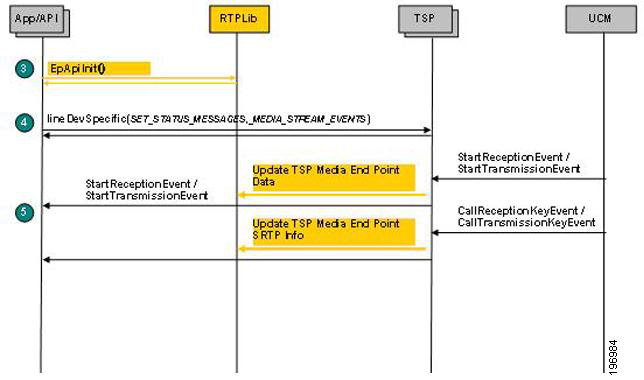
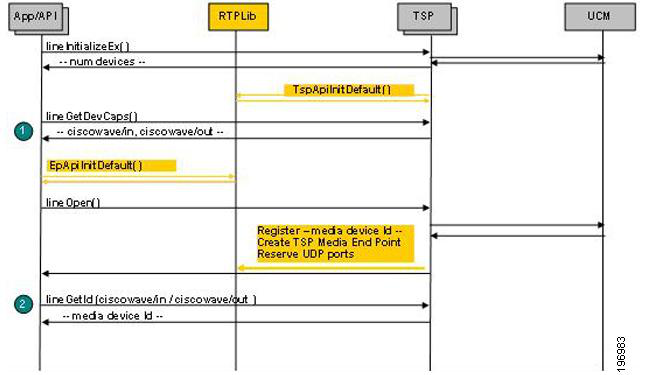
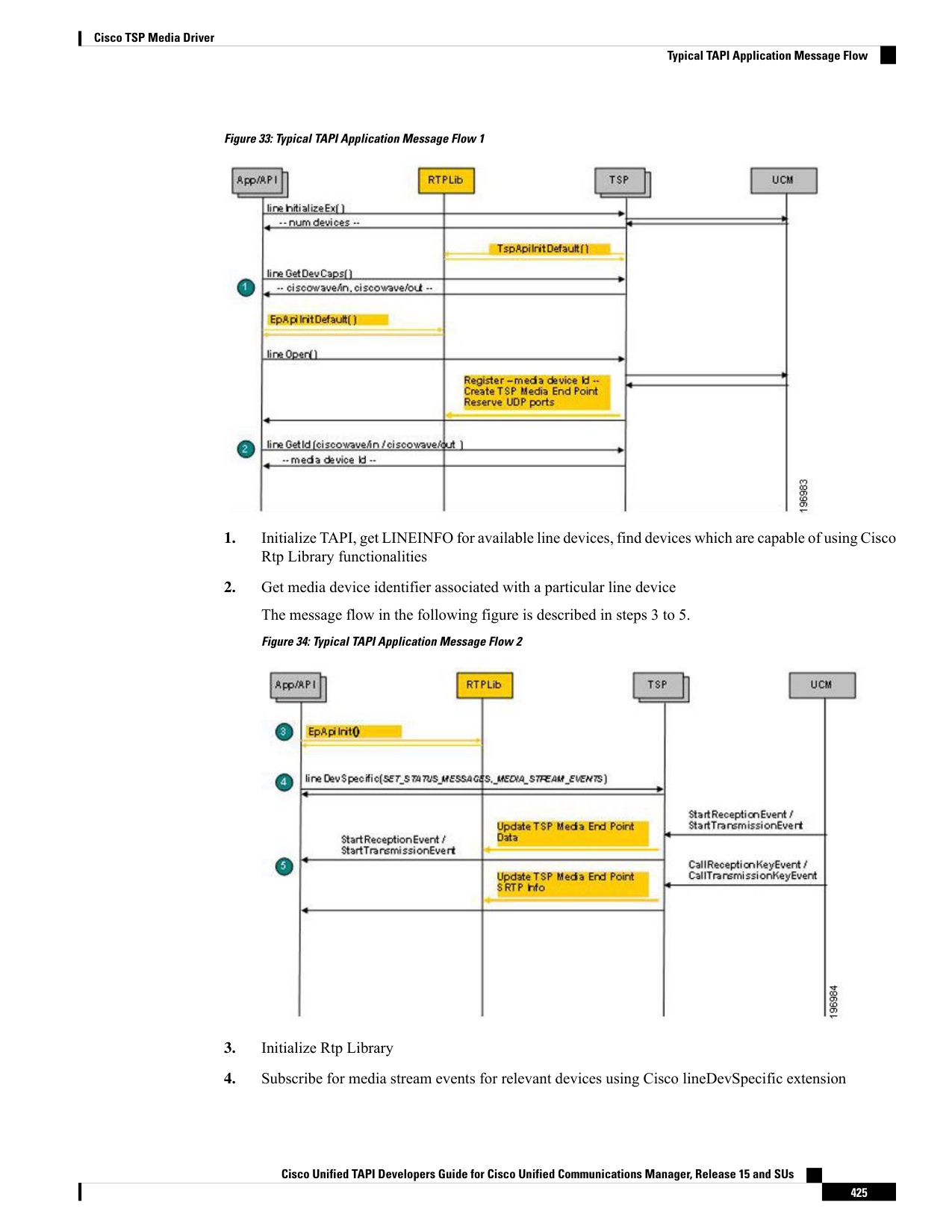
↗ View in doc contextFigure 33: Typical TAPI Application Message Flow 1 1. Initialize TAPI, get LINEINFO for available line devices, find devices which are capable of using Cisco Rtp Library functionalities 2. Get media device identifier associated with a particular line device The message flow in the following figure is described in steps 3 to 5. Figure 34: Typical TAPI Application Message Flow 2 3. Initialize Rtp Library 4. Subscribe for media stream events for relevant devices using Cisco lineDevSpecific extension Cisco Unified TAPI Developers Guide for Cisco Unified Communications Manager, Release 15 and SUs 425 Cisco TSP Media Driver Typical TAPI Application Message Flow