McDewey
Multi-vendor documentation library · semantic search · MCP endpoint at
/mcpPage 5
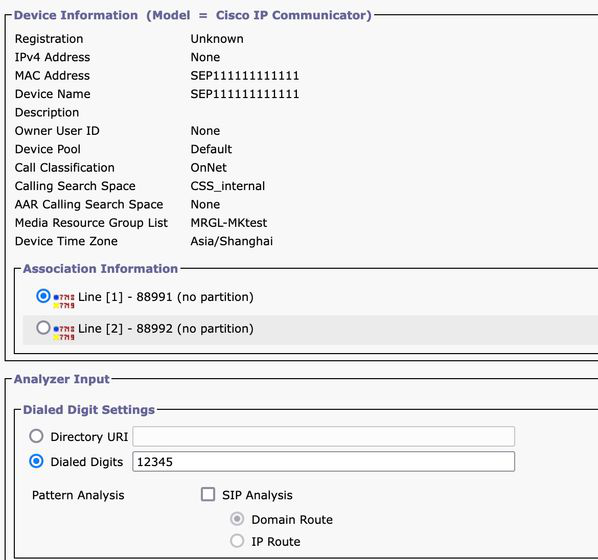
↗ View in doc context- Phones Function: It is typically used to validate or troubleshoot the configuration of incoming or outgoing calls for specific phones. Example: if you want to configure the phones in a Branch Office to route outgoing calls through the Branch Office gateway, you can choose the Branch Office Phone through the Phones option for validation. For phones with MultiLine, you can directly choose the corresponding line for testing. The Calling Search Space of both the device and the line is applied directly to the test, so there is no need to choose the corresponding Calling Search Space separately.
- Trunks Function: Similar to the Gateway Analyzer, when you need to handle incoming calls from a SIP trunk or ICT trunk, you can use the Trunk Analyzer in order to analyze how a specific trunk routes the call.