McDewey
/mcpPage 30
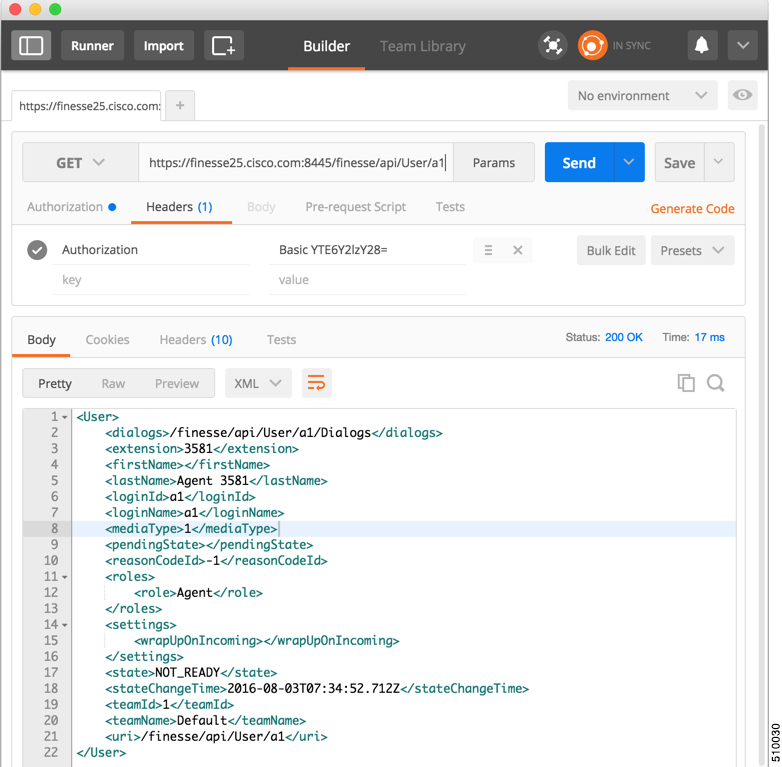
↗ View in doc contextFor using self-signed SSL certificates with Postman see, http://blog.getpostman.com/2014/01/28/ using-self-signed-certificates-with-postman/ To test an API in Postman, follow these steps: Step 1 Copy and paste the URI for the API request from this Developer Guide into a text editor. For example, to enter the URI for signing in, copy the URI from the User—Sign In to Finesse API. Examine the pasted code for case sensitivity and format and remove any carriage returns. Step 2 Update the URI with the IP address of your Cisco Finesse Web Services server. Step 3 Add any mandatory parameters for the request. Step 4 Enter the username and password for the agent you set up for these exercises. Step 5 For Content Type, enter application/xml Step 6 Click the appropriate action (GET, PUT, or POST). Figure 2: Postman Rest Client When you send zip files, select Content Type as form-data. For more information, see CompressedClientLog—Post Compressed Log to Finesse, on page 165. Cisco Finesse Web Services Developer and JavaScript Guide, Release 12.5(1) 14 Lab Development Environment Validation with Cisco FinesseWeb Services APIs Postman