McDewey
/mcpPage 47
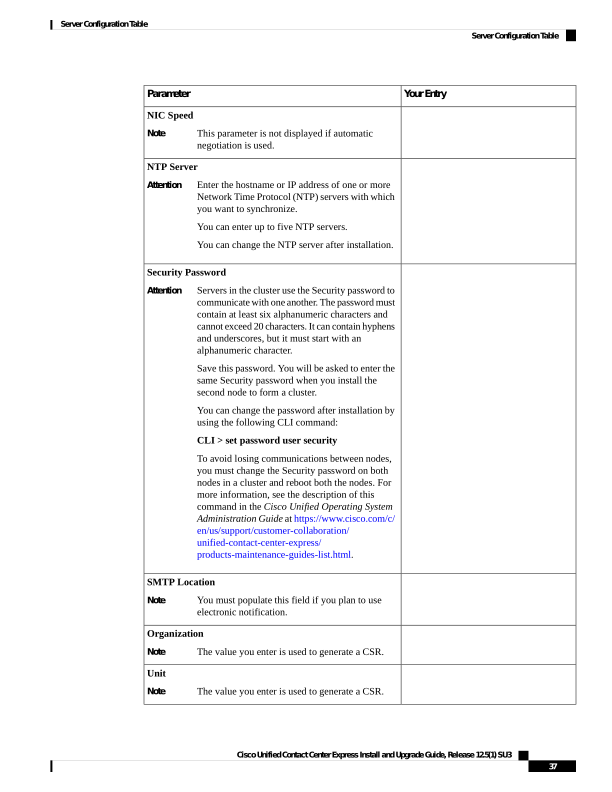
↗ View in doc contextYour Entry Parameter NIC Speed This parameter is not displayed if automatic negotiation is used. Note NTP Server Enter the hostname or IP address of one or more Network Time Protocol (NTP) servers with which you want to synchronize. You can enter up to five NTP servers. You can change the NTP server after installation. Attention Security Password Servers in the cluster use the Security password to communicate with one another. The password must contain at least six alphanumeric characters and cannot exceed 20 characters. It can contain hyphens and underscores, but it must start with an alphanumeric character. Save this password. You will be asked to enter the same Security password when you install the second node to form a cluster. You can change the password after installation by using the following CLI command: CLI > set password user security To avoid losing communications between nodes, you must change the Security password on both nodes in a cluster and reboot both the nodes. For more information, see the description of this command in the Cisco Unified Operating System Administration Guide at https://www.cisco.com/c/ en/us/support/customer-collaboration/ unified-contact-center-express/ products-maintenance-guides-list.html. Attention SMTP Location You must populate this field if you plan to use electronic notification. Note Organization The value you enter is used to generate a CSR. Note Unit The value you enter is used to generate a CSR. Note Cisco Unified Contact Center Express Install and Upgrade Guide, Release 12.5(1) SU3 37 Server Configuration Table Server Configuration Table