McDewey
/mcpPage 39
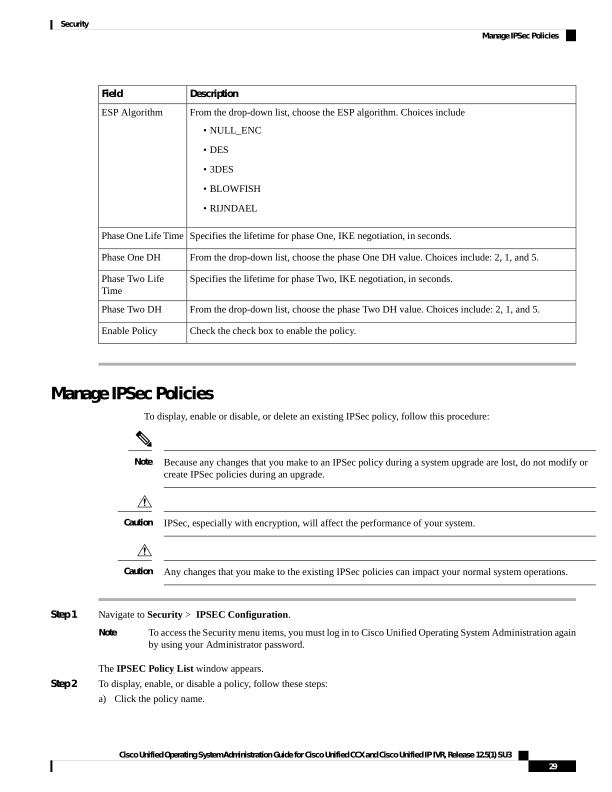
↗ View in doc contextDescription Field From the drop-down list, choose the ESP algorithm. Choices include • NULL_ENC • DES • 3DES • BLOWFISH • RIJNDAEL ESP Algorithm Specifies the lifetime for phase One, IKE negotiation, in seconds. Phase One Life Time From the drop-down list, choose the phase One DH value. Choices include: 2, 1, and 5. Phase One DH Specifies the lifetime for phase Two, IKE negotiation, in seconds. Phase Two Life Time From the drop-down list, choose the phase Two DH value. Choices include: 2, 1, and 5. Phase Two DH Check the check box to enable the policy. Enable Policy Manage IPSec Policies To display, enable or disable, or delete an existing IPSec policy, follow this procedure: Because any changes that you make to an IPSec policy during a system upgrade are lost, do not modify or create IPSec policies during an upgrade. Note IPSec, especially with encryption, will affect the performance of your system. Caution Any changes that you make to the existing IPSec policies can impact your normal system operations. Caution Step 1 Navigate to Security > IPSEC Configuration. To access the Security menu items, you must log in to Cisco Unified Operating System Administration again by using your Administrator password. Note The IPSEC Policy List window appears. Step 2 To display, enable, or disable a policy, follow these steps: a) Click the policy name. Cisco Unified Operating System Administration Guide for Cisco Unified CCX and Cisco Unified IP IVR, Release 12.5(1) SU3 29 Security Manage IPSec Policies