McDewey
Multi-vendor documentation library · semantic search · MCP endpoint at
/mcpPage 7
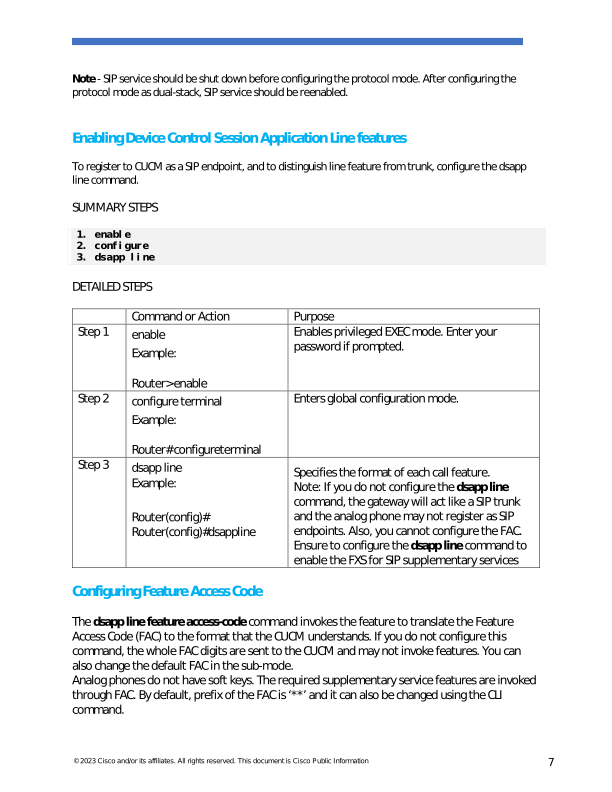
↗ View in doc context© 2023 Cisco and/or its affiliates. All rights reserved. This document is Cisco Public Information 7 Note - SIP service should be shut down before configuring the protocol mode. After configuring the protocol mode as dual-stack, SIP service should be reenabled. Enabling Device Control Session Application Line features To register to CUCM as a SIP endpoint, and to distinguish line feature from trunk, configure the dsapp line command. SUMMARY STEPS
- enable
- configure
- dsapp line DETAILED STEPS Command or Action Purpose Step 1 enable Example: Router> enable Enables privileged EXEC mode. Enter your password if prompted. Step 2 configure terminal Example: Router# configure terminal Enters global configuration mode. Step 3 dsapp line Example: Router(config)# Router(config)#dsapp line Specifies the format of each call feature. Note: If you do not configure the dsapp line command, the gateway will act like a SIP trunk and the analog phone may not register as SIP endpoints. Also, you cannot configure the FAC. Ensure to configure the dsapp line command to enable the FXS for SIP supplementary services Configuring Feature Access Code The dsapp line feature access-code command invokes the feature to translate the Feature Access Code (FAC) to the format that the CUCM understands. If you do not configure this command, the whole FAC digits are sent to the CUCM and may not invoke features. You can also change the default FAC in the sub-mode. Analog phones do not have soft keys. The required supplementary service features are invoked through FAC. By default, prefix of the FAC is ‘**’ and it can also be changed using the CLI command.