McDewey
Multi-vendor documentation library · semantic search · MCP endpoint at
/mcpPage 4
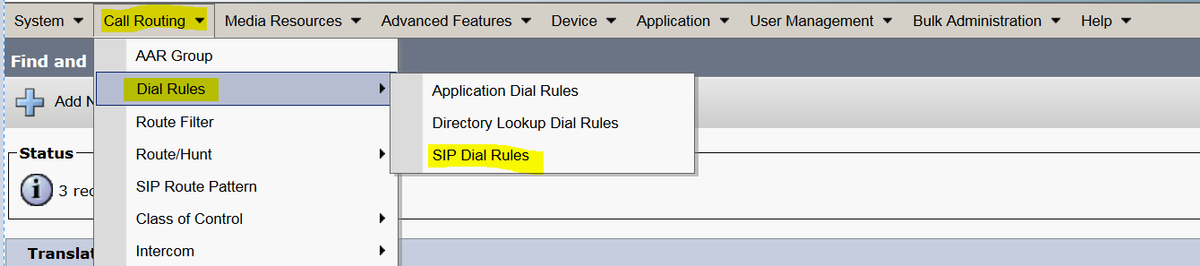
↗ View in doc contextStep 4.To work PLAR/Hotdial configuration you have to create the SIP dial rule. In Cisco Unified Communications Manager Administration, navigate to Call Routing > Dial Rules
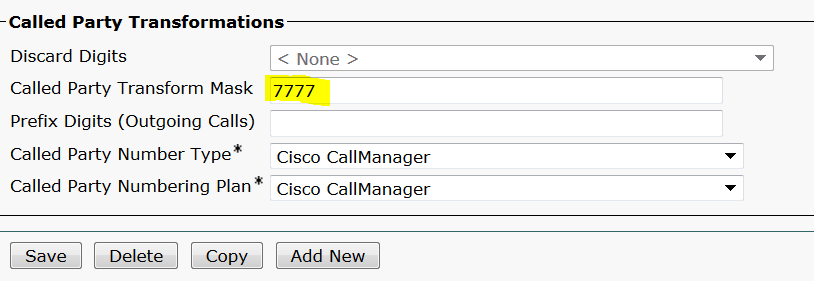
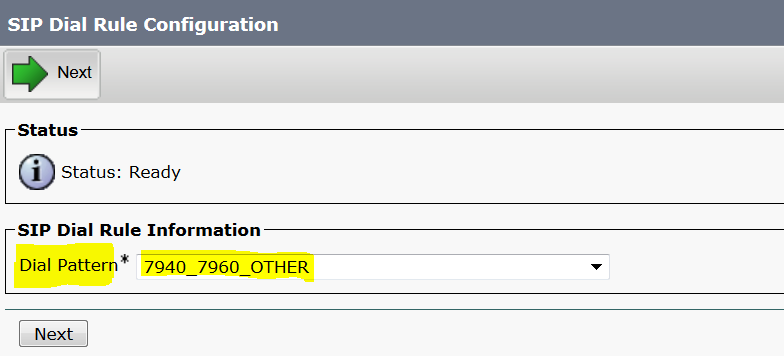
SIP Dial Rules. Now Add New, under Dial Pattern select 7940_7960_OTHER and click Next, as shown in the image: Enter a name for the pattern and click save. For example, PLAR, as shown in the image: