McDewey
Multi-vendor documentation library · semantic search · MCP endpoint at
/mcpPage 5
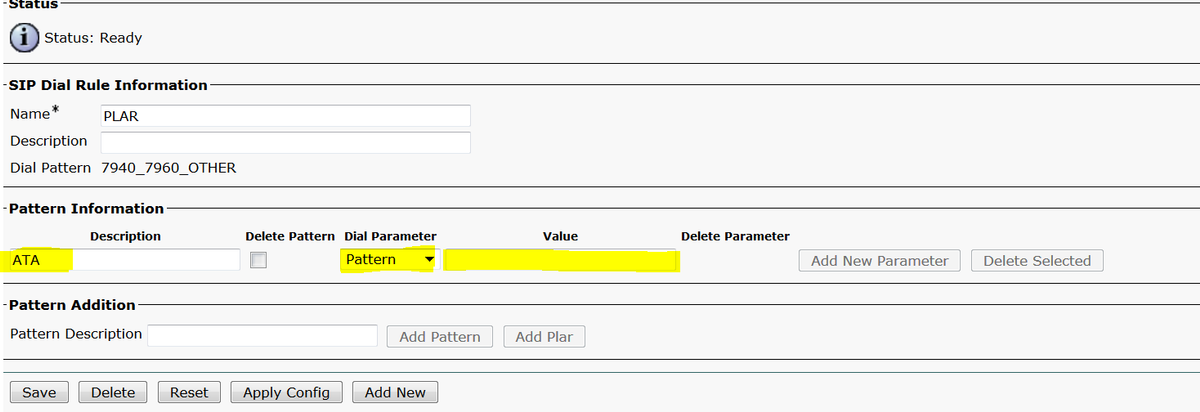
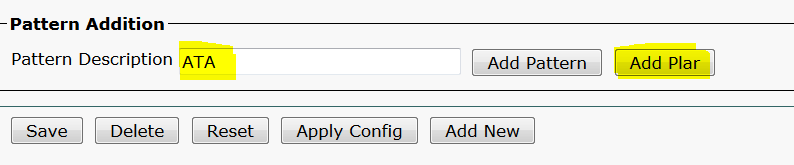
↗ View in doc contextAs shown in the image, type a description and click on Add Plar and click Save. Note: Ensure you do not type anything under Value. It has to be empty and under Dial Parameter it has to be Pattern Step 5. Assign the SIP Dial Rules and CSS on the ATA device. Assign the CSS on the ATA device (DN - Line CSS) G