McDewey
/mcpPage 143
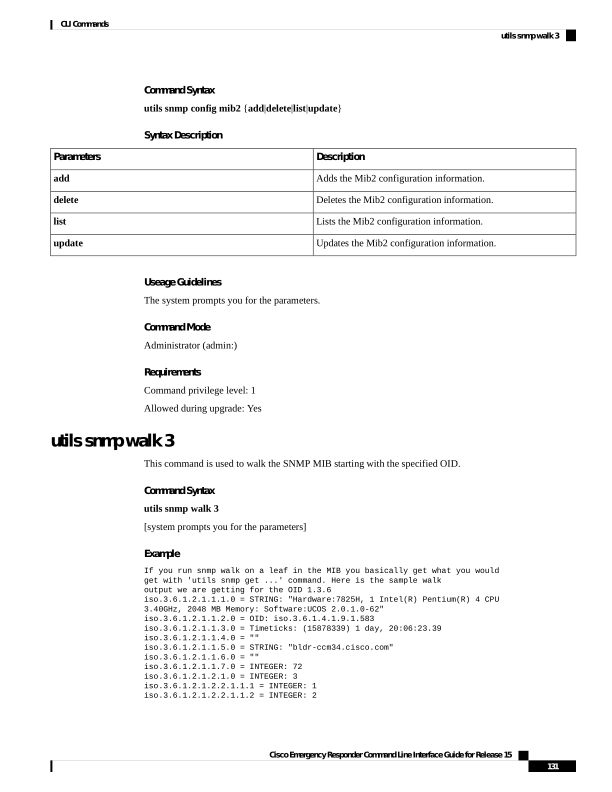
↗ View in doc contextCommand Syntax utils snmp config mib2 {add|delete|list|update} Syntax Description Description Parameters Adds the Mib2 configuration information. add Deletes the Mib2 configuration information. delete Lists the Mib2 configuration information. list Updates the Mib2 configuration information. update Useage Guidelines The system prompts you for the parameters. Command Mode Administrator (admin:) Requirements Command privilege level: 1 Allowed during upgrade: Yes utils snmp walk 3 This command is used to walk the SNMP MIB starting with the specified OID. Command Syntax utils snmp walk 3 [system prompts you for the parameters] Example If you run snmp walk on a leaf in the MIB you basically get what you would get with 'utils snmp get ...' command. Here is the sample walk output we are getting for the OID 1.3.6 iso.3.6.1.2.1.1.1.0 = STRING: "Hardware:7825H, 1 Intel(R) Pentium(R) 4 CPU 3.40GHz, 2048 MB Memory: Software:UCOS 2.0.1.0-62" iso.3.6.1.2.1.1.2.0 = OID: iso.3.6.1.4.1.9.1.583 iso.3.6.1.2.1.1.3.0 = Timeticks: (15878339) 1 day, 20:06:23.39 iso.3.6.1.2.1.1.4.0 = "" iso.3.6.1.2.1.1.5.0 = STRING: "bldr-ccm34.cisco.com" iso.3.6.1.2.1.1.6.0 = "" iso.3.6.1.2.1.1.7.0 = INTEGER: 72 iso.3.6.1.2.1.2.1.0 = INTEGER: 3 iso.3.6.1.2.1.2.2.1.1.1 = INTEGER: 1 iso.3.6.1.2.1.2.2.1.1.2 = INTEGER: 2 Cisco Emergency Responder Command Line Interface Guide for Release 15 131 CLI Commands utils snmp walk 3