McDewey
/mcpPage 8
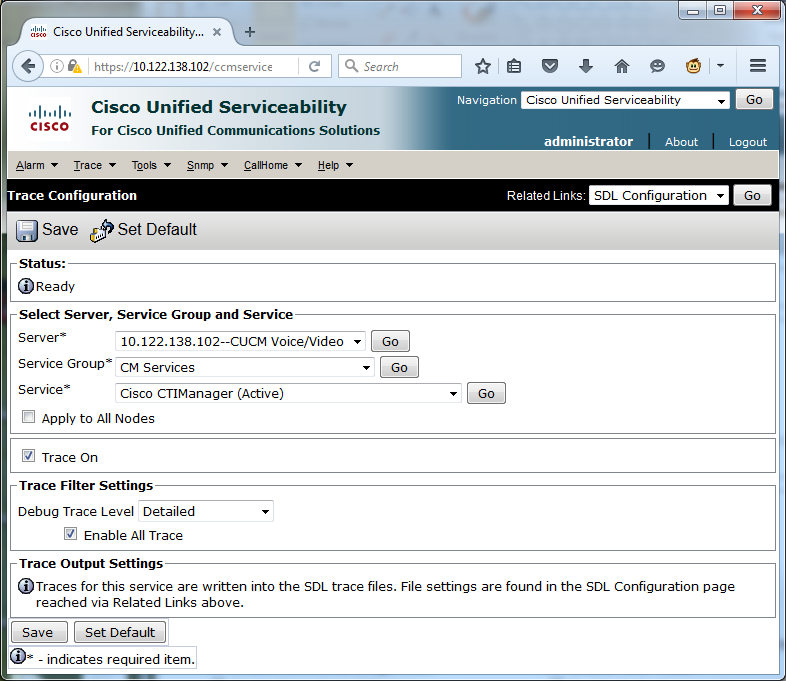
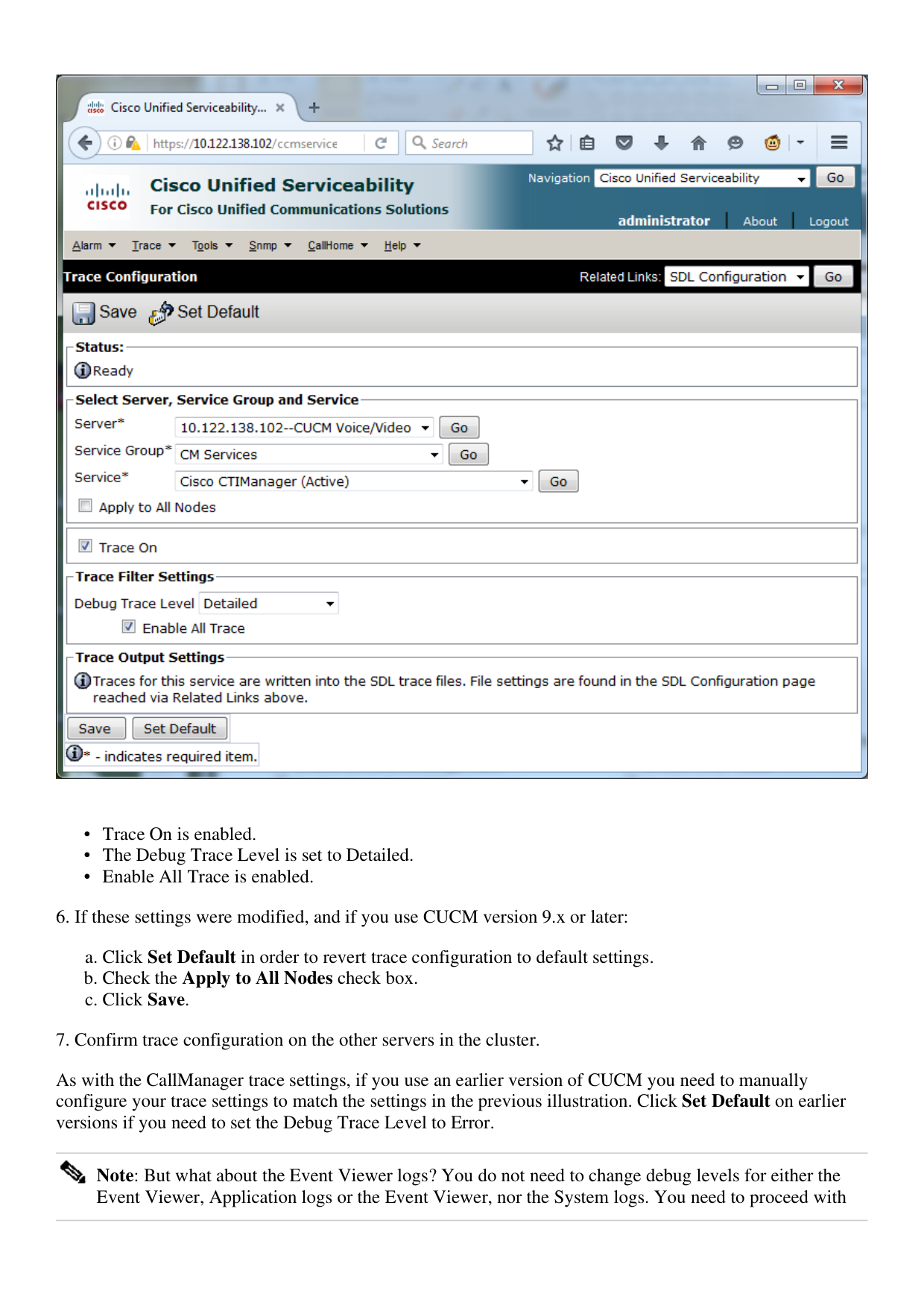
↗ View in doc contextTrace On is enabled. • The Debug Trace Level is set to Detailed. • Enable All Trace is enabled. • 6. If these settings were modified, and if you use CUCM version 9.x or later: Click Set Default in order to revert trace configuration to default settings. a. Check the Apply to All Nodes check box. b. Click Save. c. 7. Confirm trace configuration on the other servers in the cluster. As with the CallManager trace settings, if you use an earlier version of CUCM you need to manually configure your trace settings to match the settings in the previous illustration. Click Set Default on earlier versions if you need to set the Debug Trace Level to Error. Note: But what about the Event Viewer logs? You do not need to change debug levels for either the Event Viewer, Application logs or the Event Viewer, nor the System logs. You need to proceed with