McDewey
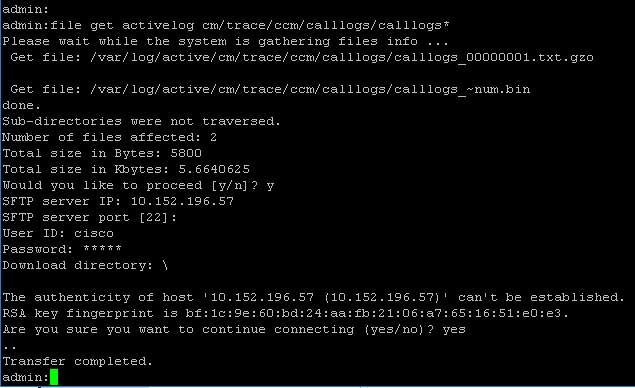
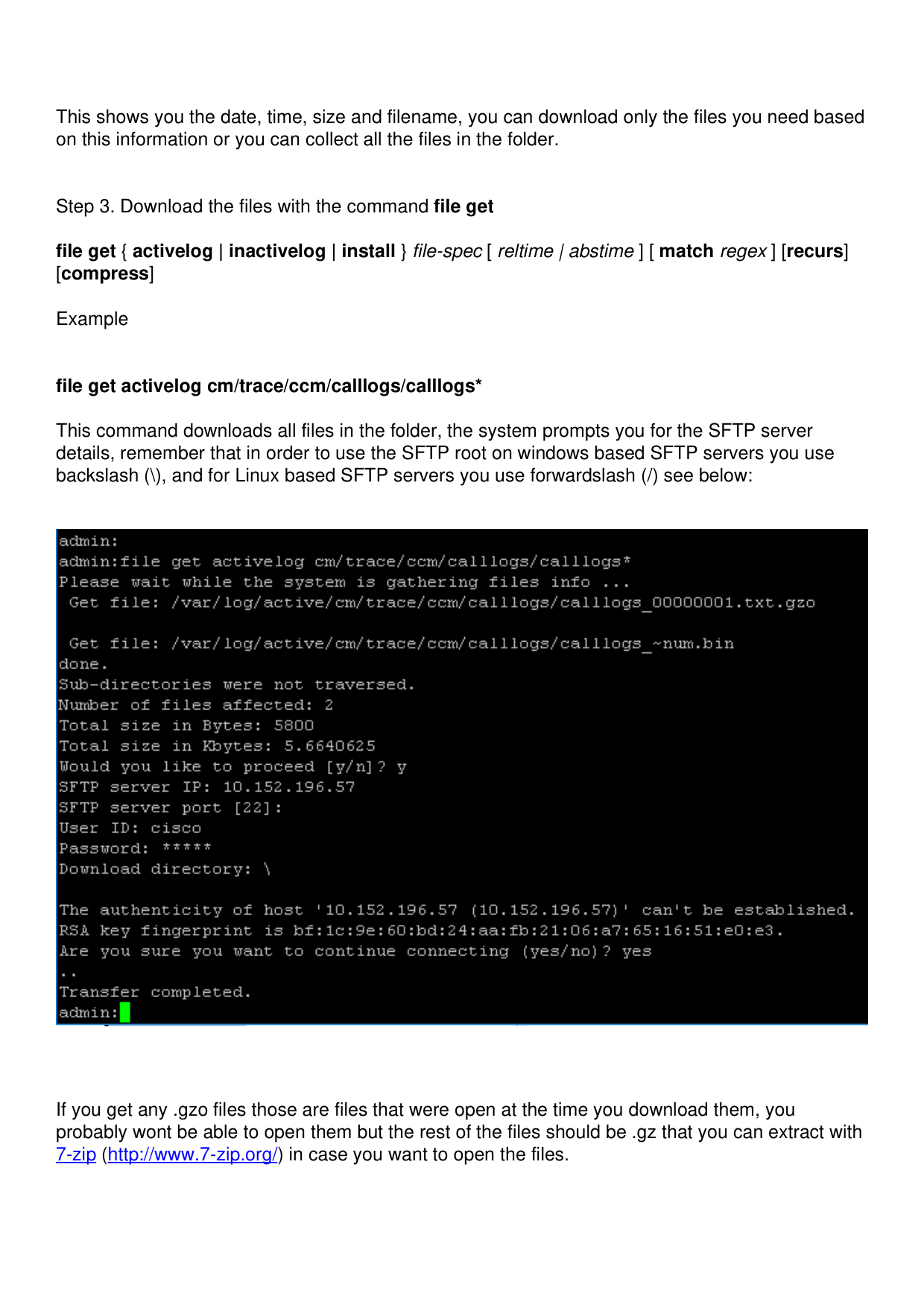
/mcpPage 3
↗ View in doc contextThis shows you the date, time, size and filename, you can download only the files you need based on this information or you can collect all the files in the folder. Step 3. Download the files with the command file get file get { activelog | inactivelog | install } file-spec [ reltime | abstime ] [ match regex ] [recurs] [compress] Example file get activelog cm/trace/ccm/calllogs/calllogs* This command downloads all files in the folder, the system prompts you for the SFTP server details, remember that in order to use the SFTP root on windows based SFTP servers you use backslash (), and for Linux based SFTP servers you use forwardslash (/) see below: If you get any .gzo files those are files that were open at the time you download them, you probably wont be able to open them but the rest of the files should be .gz that you can extract with 7-zip (http://www.7-zip.org/) in case you want to open the files.