McDewey
/mcpPage 18
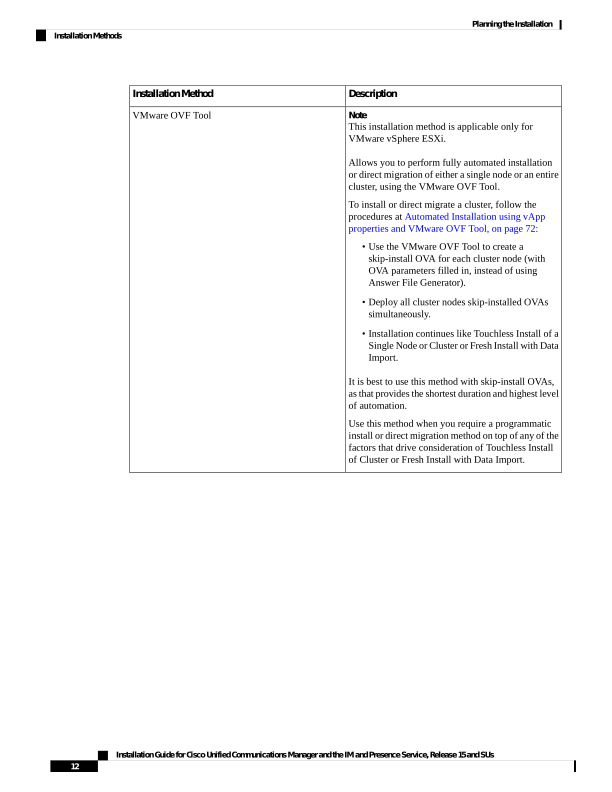
↗ View in doc contextDescription Installation Method Note This installation method is applicable only for VMware vSphere ESXi. Allows you to perform fully automated installation or direct migration of either a single node or an entire cluster, using the VMware OVF Tool. To install or direct migrate a cluster, follow the procedures at Automated Installation using vApp properties and VMware OVF Tool, on page 72: • Use the VMware OVF Tool to create a skip-install OVA for each cluster node (with OVA parameters filled in, instead of using Answer File Generator). • Deploy all cluster nodes skip-installed OVAs simultaneously. • Installation continues like Touchless Install of a Single Node or Cluster or Fresh Install with Data Import. It is best to use this method with skip-install OVAs, as that provides the shortest duration and highest level of automation. Use this method when you require a programmatic install or direct migration method on top of any of the factors that drive consideration of Touchless Install of Cluster or Fresh Install with Data Import. VMware OVF Tool Installation Guide for Cisco Unified Communications Manager and the IM and Presence Service, Release 15 and SUs 12 Planning the Installation Installation Methods