McDewey
/mcpPage 35
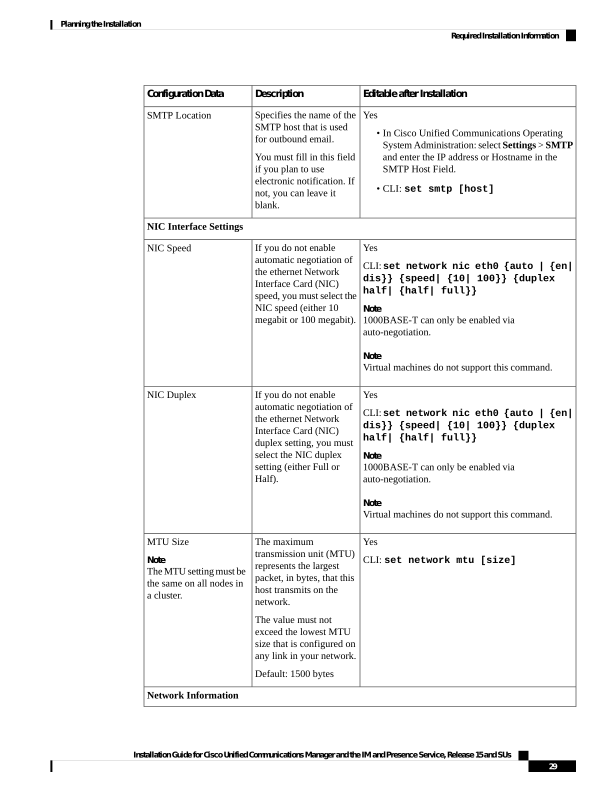
↗ View in doc contextEditable after Installation Description Configuration Data Yes • In Cisco Unified Communications Operating System Administration: select Settings > SMTP and enter the IP address or Hostname in the SMTP Host Field. • CLI: set smtp [host] Specifies the name of the SMTP host that is used for outbound email. You must fill in this field if you plan to use electronic notification. If not, you can leave it blank. SMTP Location NIC Interface Settings Yes CLI: set network nic eth0 {auto | {en| dis}} {speed| {10| 100}} {duplex half| {half| full}} Note 1000BASE-T can only be enabled via auto-negotiation. Note Virtual machines do not support this command. If you do not enable automatic negotiation of the ethernet Network Interface Card (NIC) speed, you must select the NIC speed (either 10 megabit or 100 megabit). NIC Speed Yes CLI: set network nic eth0 {auto | {en| dis}} {speed| {10| 100}} {duplex half| {half| full}} Note 1000BASE-T can only be enabled via auto-negotiation. Note Virtual machines do not support this command. If you do not enable automatic negotiation of the ethernet Network Interface Card (NIC) duplex setting, you must select the NIC duplex setting (either Full or Half). NIC Duplex Yes CLI: set network mtu [size] The maximum transmission unit (MTU) represents the largest packet, in bytes, that this host transmits on the network. The value must not exceed the lowest MTU size that is configured on any link in your network. Default: 1500 bytes MTU Size Note The MTU setting must be the same on all nodes in a cluster. Network Information Installation Guide for Cisco Unified Communications Manager and the IM and Presence Service, Release 15 and SUs 29 Planning the Installation Required Installation Information