McDewey
/mcpPage 37
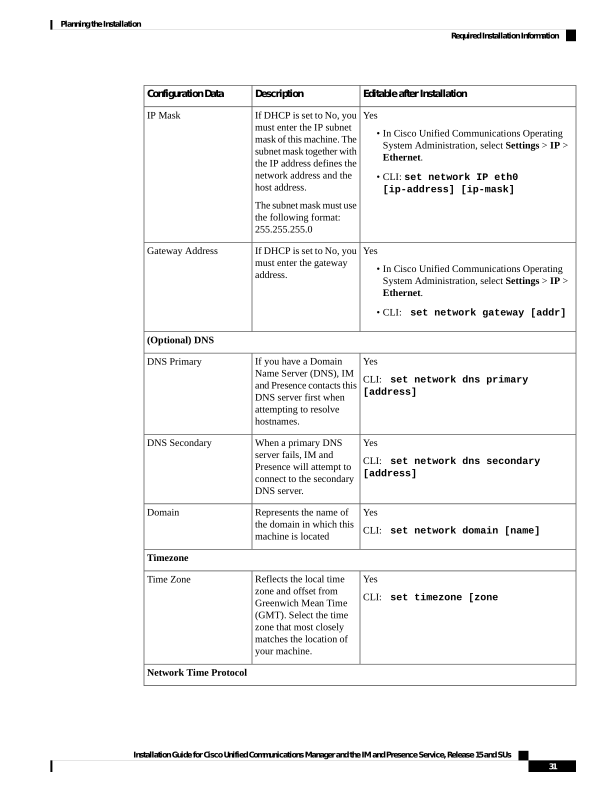
↗ View in doc contextEditable after Installation Description Configuration Data Yes • In Cisco Unified Communications Operating System Administration, select Settings > IP > Ethernet. • CLI: set network IP eth0 [ip-address] [ip-mask] If DHCP is set to No, you must enter the IP subnet mask of this machine. The subnet mask together with the IP address defines the network address and the host address. The subnet mask must use the following format: 255.255.255.0 IP Mask Yes • In Cisco Unified Communications Operating System Administration, select Settings > IP > Ethernet. • CLI: set network gateway [addr] If DHCP is set to No, you must enter the gateway address. Gateway Address (Optional) DNS Yes CLI: set network dns primary [address] If you have a Domain Name Server (DNS), IM and Presence contacts this DNS server first when attempting to resolve hostnames. DNS Primary Yes CLI: set network dns secondary [address] When a primary DNS server fails, IM and Presence will attempt to connect to the secondary DNS server. DNS Secondary Yes CLI: set network domain [name] Represents the name of the domain in which this machine is located Domain Timezone Yes CLI: set timezone [zone Reflects the local time zone and offset from Greenwich Mean Time (GMT). Select the time zone that most closely matches the location of your machine. Time Zone Network Time Protocol Installation Guide for Cisco Unified Communications Manager and the IM and Presence Service, Release 15 and SUs 31 Planning the Installation Required Installation Information