McDewey
Multi-vendor documentation library · semantic search · MCP endpoint at
/mcpPage 4
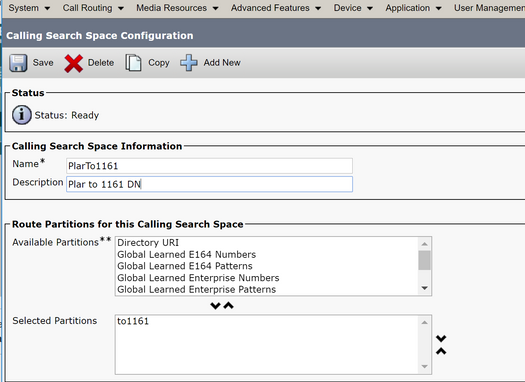
↗ View in doc contextStep 3. Create a Translation Pattern Navigate toCall Routing> Translation Pattern and then click Add a New Translation Pattern. Select the desired partition name and CSS that were previously created in Step One and Step Two. Finally, under Called Party Transformation Mask, enter the PLAR target number. Click Insert. Note: Ensure that the Translation Pattern field is left blank.