McDewey
Multi-vendor documentation library · semantic search · MCP endpoint at
/mcpPage 2
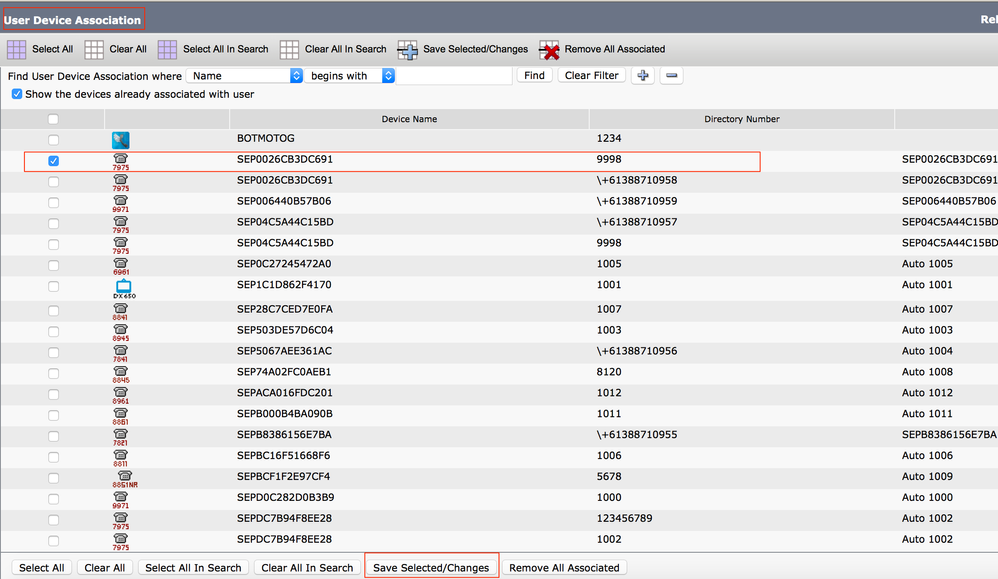
↗ View in doc contextphone number that rings on both their IP desk phone and their cellular phone (Remote Destination), simultaneously. Mobile Connect users can pick up an incoming call on either of their desk or cellular phones and at any point and can move the in-progress call from one of these phones to the other without interruption. Configure When you work with CUCM, the performed tasks are related to these activities: User Configuration • Remote Destination Profile Configuration • Remote Destination Configuration • User Configuration You are directed to a User Device Association page, where you can select the device which needs to be associated as the deskphone of the user, then click Save Selected/Changes, as shown in the image: