McDewey
Multi-vendor documentation library · semantic search · MCP endpoint at
/mcpPage 20
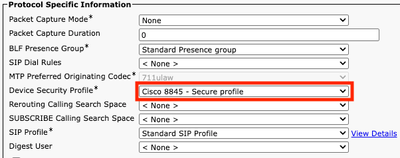
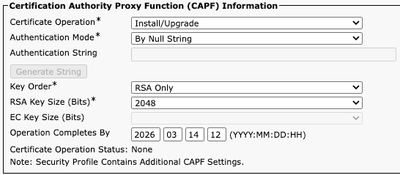
↗ View in doc contextUse CAPF information section in device configuration of affected phones to install LSC certificate in the required phones. In CAPF information, select Install/Upgrade in Certificate Operation. • Select Save and Apply Config. • Wait until Certificate Operation Status shows Operation completed. • In Protocol Specific Information section on Phone Configuration, select the Security profile with TLS enabled that was created.