McDewey
Multi-vendor documentation library · semantic search · MCP endpoint at
/mcpPage 19
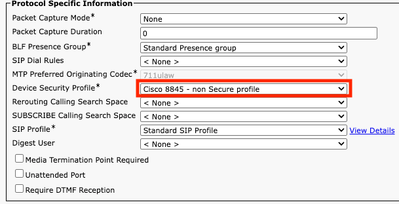
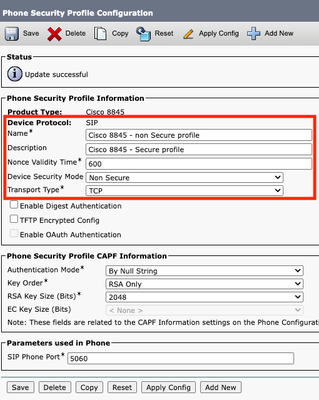
↗ View in doc contextCopy the current phone security profile assigned to the required phones. • Change Name and Device Security Mode to Non Secure and select Save and Apply Config to apply this change to all the required phones. • Apply the created Device Security Profile to required phones configuration, select Save and Apply Config. •