McDewey
Multi-vendor documentation library · semantic search · MCP endpoint at
/mcpPage 18
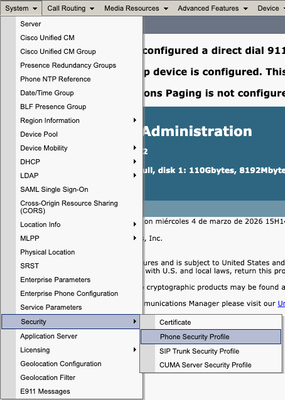
↗ View in doc contextUpdate CTL file after CAPF regeneration. Log into the CLI of the Publisher and enter the command utils ctl update CTLFile. Navigate to Cisco Unified Serviceability > Tools > Control Center - Feature Services in CUCM publisher and restart CAPF service. 1. Navigate to Cisco Unified Serviceability > Tools > Control Center - Network Services and restart Cisco Trust Verification Service in all the nodes that runs it. 2. Navigate to Cisco Unified Serviceability > Tools > Control Center - Feature Services and restart Cisco TFTP Service in all the nodes that runs it 3. Navigate to CM administration > System > Security > Phone Security Profile. •