McDewey
Multi-vendor documentation library · semantic search · MCP endpoint at
/mcpPage 11
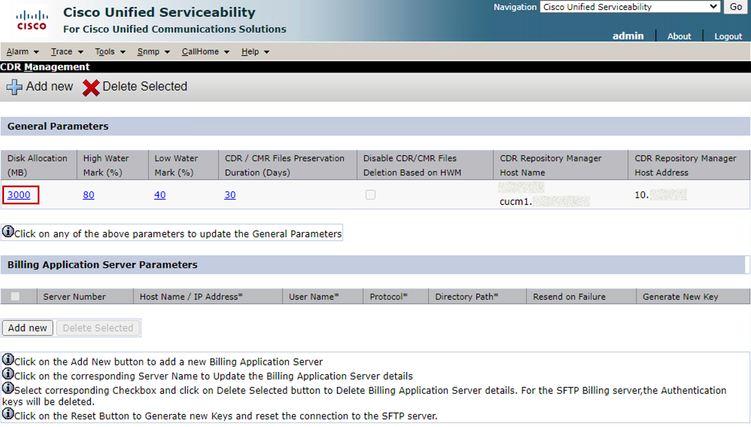
↗ View in doc contextNo core files found Modify Call Detail Records (CDR) Low/High Watermark Values The File Manager component of the CDR Repository Manager runs hourly. When the File Manager runs, it deletes files with dates outside the configured preservation duration. It also checks whether the disk usage has exceeded the high water mark. If so, the system deletes the processed CDR files until the low water mark is reached, starting with the oldest files. Navigate to Cisco Unified Serviceability > Tools > CDR Management and click the first value under General Parameters section. 1. CDR Management Screen Modify High Water Mark (%) and Low Water Mark (%). 2.