McDewey
/mcpPage 44
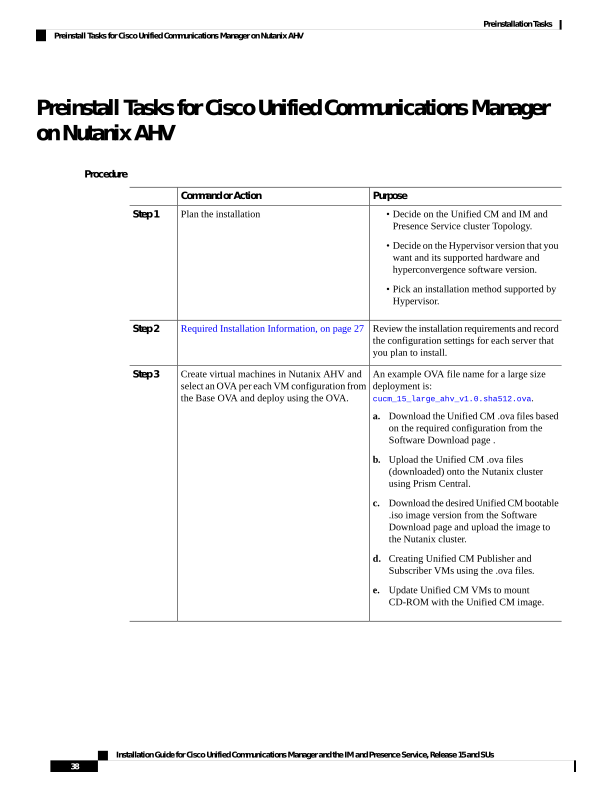
↗ View in doc contextPreinstall Tasks for Cisco Unified Communications Manager on Nutanix AHV Procedure Purpose Command or Action Plan the installation Step 1 • Decide on the Unified CM and IM and Presence Service cluster Topology. • Decide on the Hypervisor version that you want and its supported hardware and hyperconvergence software version. • Pick an installation method supported by Hypervisor. Review the installation requirements and record the configuration settings for each server that you plan to install. Required Installation Information, on page 27 Step 2 An example OVA file name for a large size deployment is: cucm_15_large_ahv_v1.0.sha512.ova. Create virtual machines in Nutanix AHV and select an OVA per each VM configuration from the Base OVA and deploy using the OVA. Step 3 a. Download the Unified CM .ova files based on the required configuration from the Software Download page . b. Upload the Unified CM .ova files (downloaded) onto the Nutanix cluster using Prism Central. c. Download the desired Unified CM bootable .iso image version from the Software Download page and upload the image to the Nutanix cluster. d. Creating Unified CM Publisher and Subscriber VMs using the .ova files. e. Update Unified CM VMs to mount CD-ROM with the Unified CM image. Installation Guide for Cisco Unified Communications Manager and the IM and Presence Service, Release 15 and SUs 38 Preinstallation Tasks Preinstall Tasks for Cisco Unified Communications Manager on Nutanix AHV