McDewey
/mcpPage 18
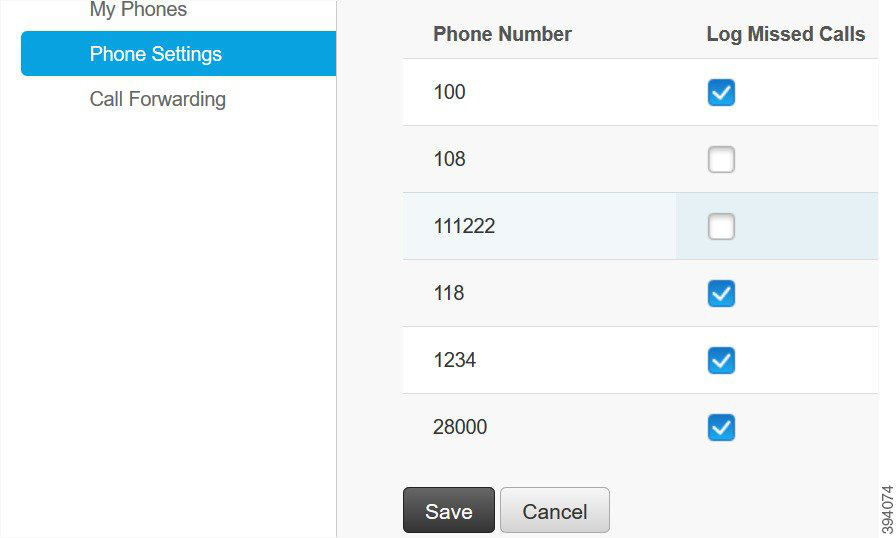
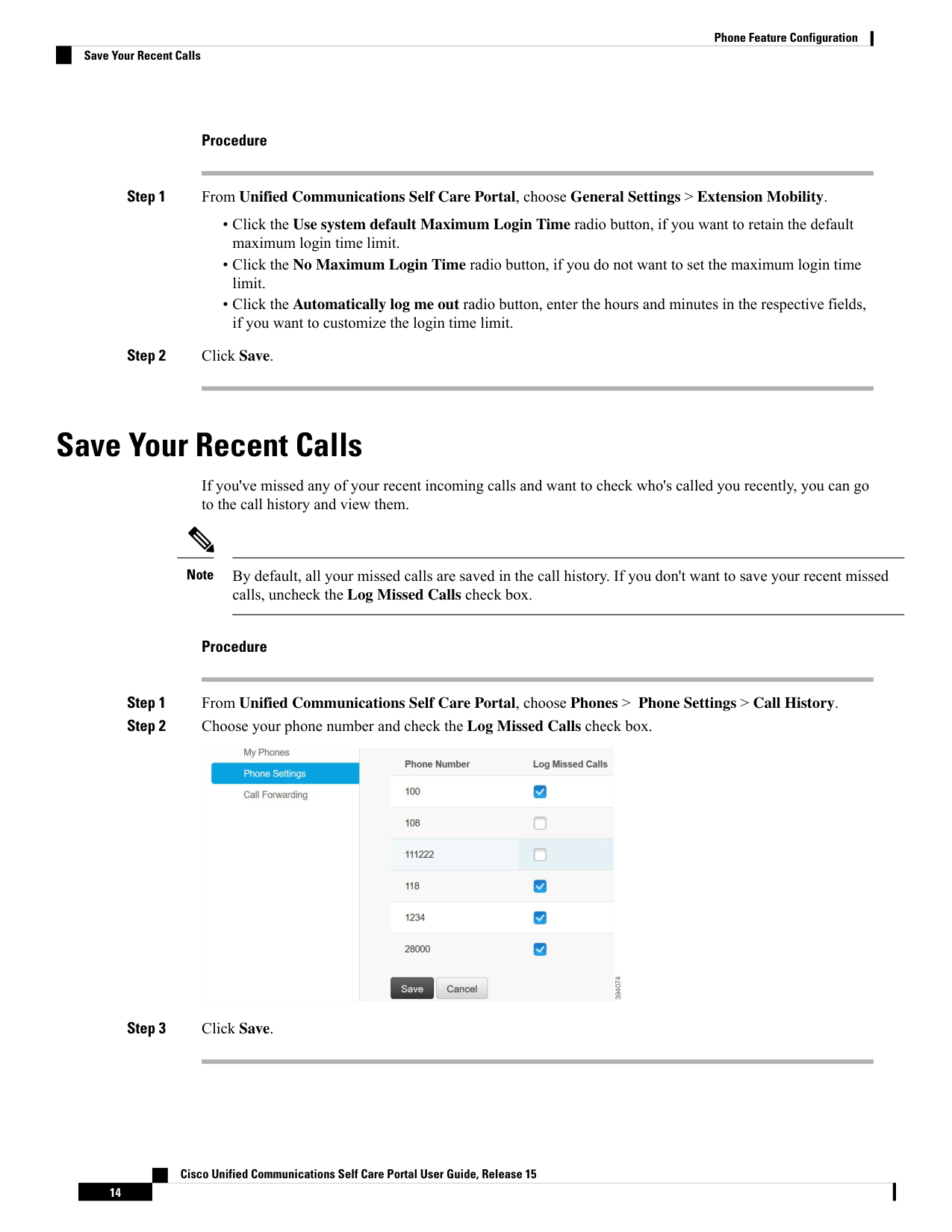
↗ View in doc contextProcedure Step 1 From Unified Communications Self Care Portal, choose General Settings > Extension Mobility. • Click the Use system default Maximum Login Time radio button, if you want to retain the default maximum login time limit. • Click the No Maximum Login Time radio button, if you do not want to set the maximum login time limit. • Click the Automatically log me out radio button, enter the hours and minutes in the respective fields, if you want to customize the login time limit. Step 2 Click Save. Save Your Recent Calls If you've missed any of your recent incoming calls and want to check who's called you recently, you can go to the call history and view them. By default, all your missed calls are saved in the call history. If you don't want to save your recent missed calls, uncheck the Log Missed Calls check box. Note Procedure Step 1 From Unified Communications Self Care Portal, choose Phones > Phone Settings > Call History. Step 2 Choose your phone number and check the Log Missed Calls check box. Step 3 Click Save. Cisco Unified Communications Self Care Portal User Guide, Release 15 14 Phone Feature Configuration Save Your Recent Calls