McDewey
Multi-vendor documentation library · semantic search · MCP endpoint at
/mcpPage 13
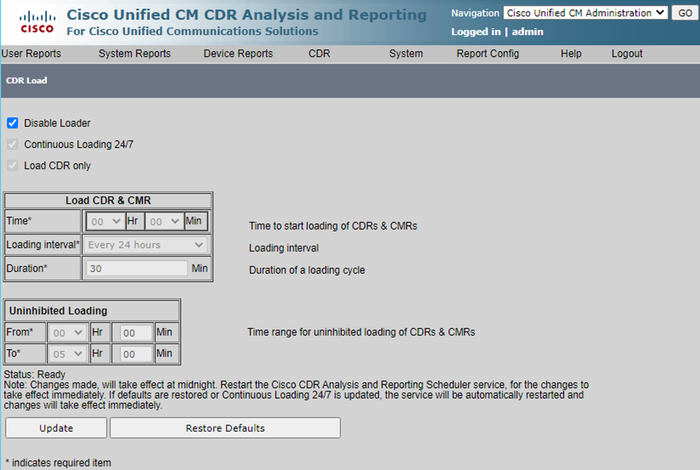
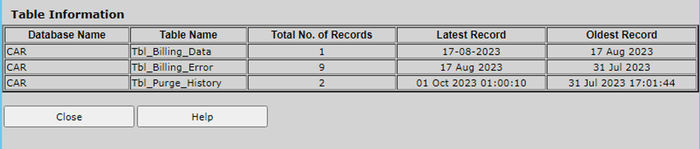
↗ View in doc contextDisable Loader Screen For the changes to take effect, navigate to Cisco Unified Serviceability > Tools > Control Center - Network Services > Cisco CAR Scheduler and restart service. 3. In order to purge CAR DB navigate to System > Database > Manual Purge, click Table Information to validate the oldest records for each type of table. 4. CAR Table Information Screen Click Close, and select the date range to purge files of the selected table. 5.