McDewey
Multi-vendor documentation library · semantic search · MCP endpoint at
/mcpPage 4
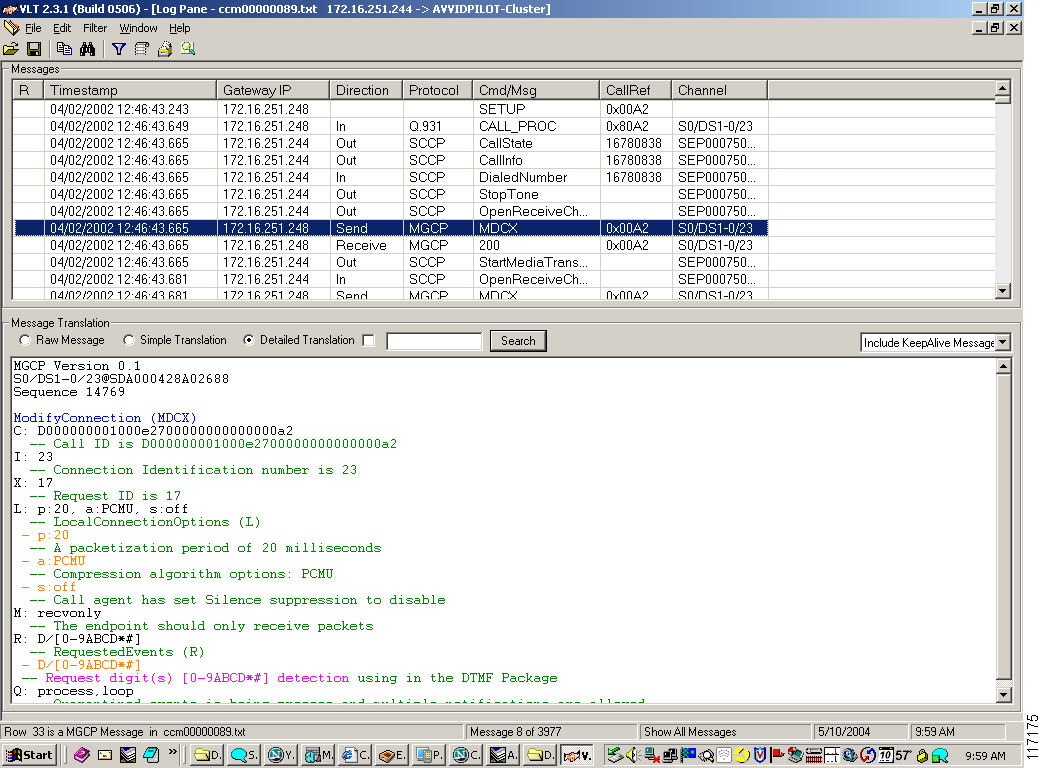
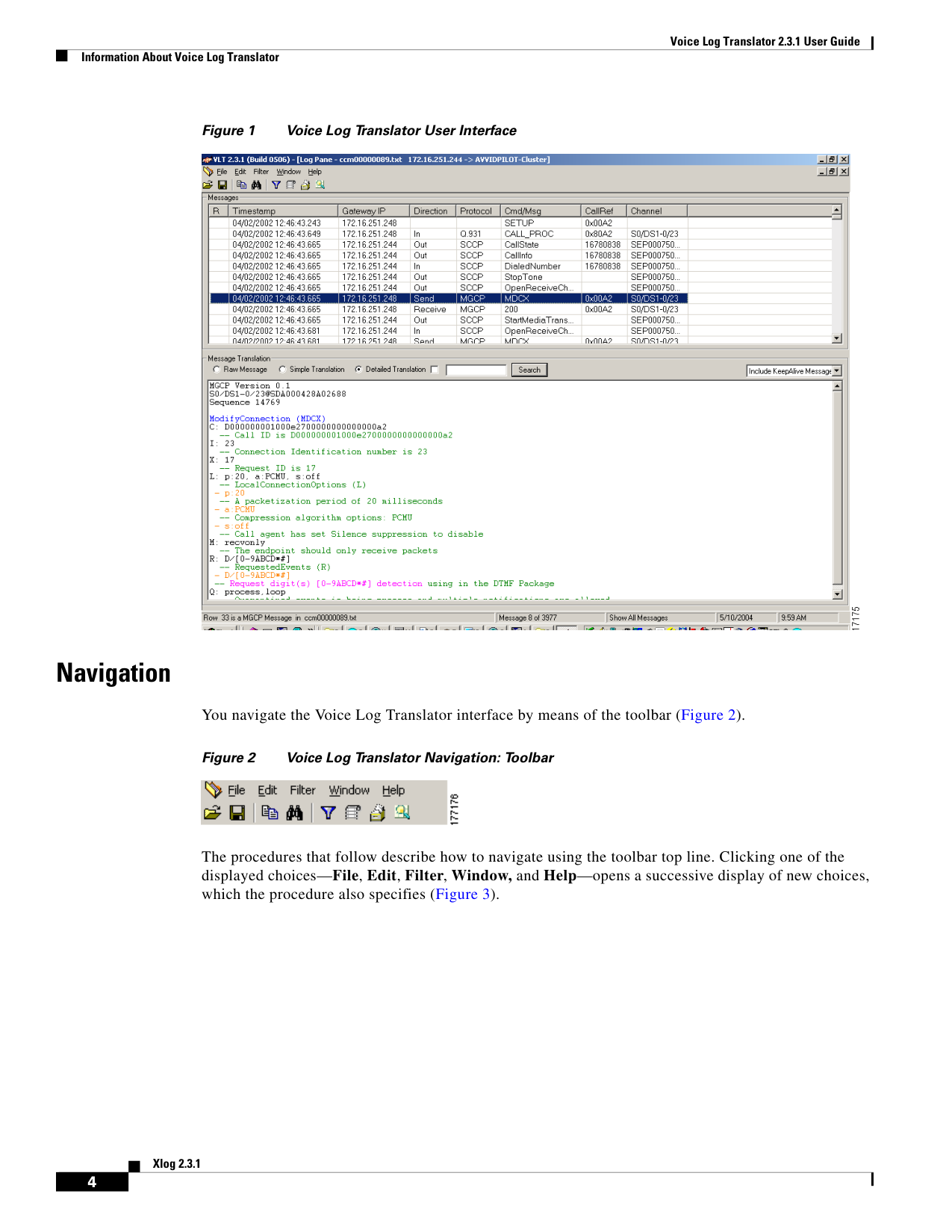
↗ View in doc contextVoice Log Translator 2.3.1 User Guide Information About Voice Log Translator 4 Xlog 2.3.1 Figure 1 Voice Log Translator User Interface Navigation You navigate the Voice Log Translator interface by means of the toolbar (Figure 2). Figure 2 Voice Log Translator Navigation: Toolbar The procedures that follow describe how to navigate using the toolbar top line. Clicking one of the displayed choices—File, Edit, Filter, Window, and Help—opens a successive display of new choices, which the procedure also specifies (Figure 3).